
 Reg. $28/$20
This offer has expired!
Be sure to follow us on Twitter for the latest deals and more. Sign-up for our newsletters and have our best offers delivered to your inbox daily.
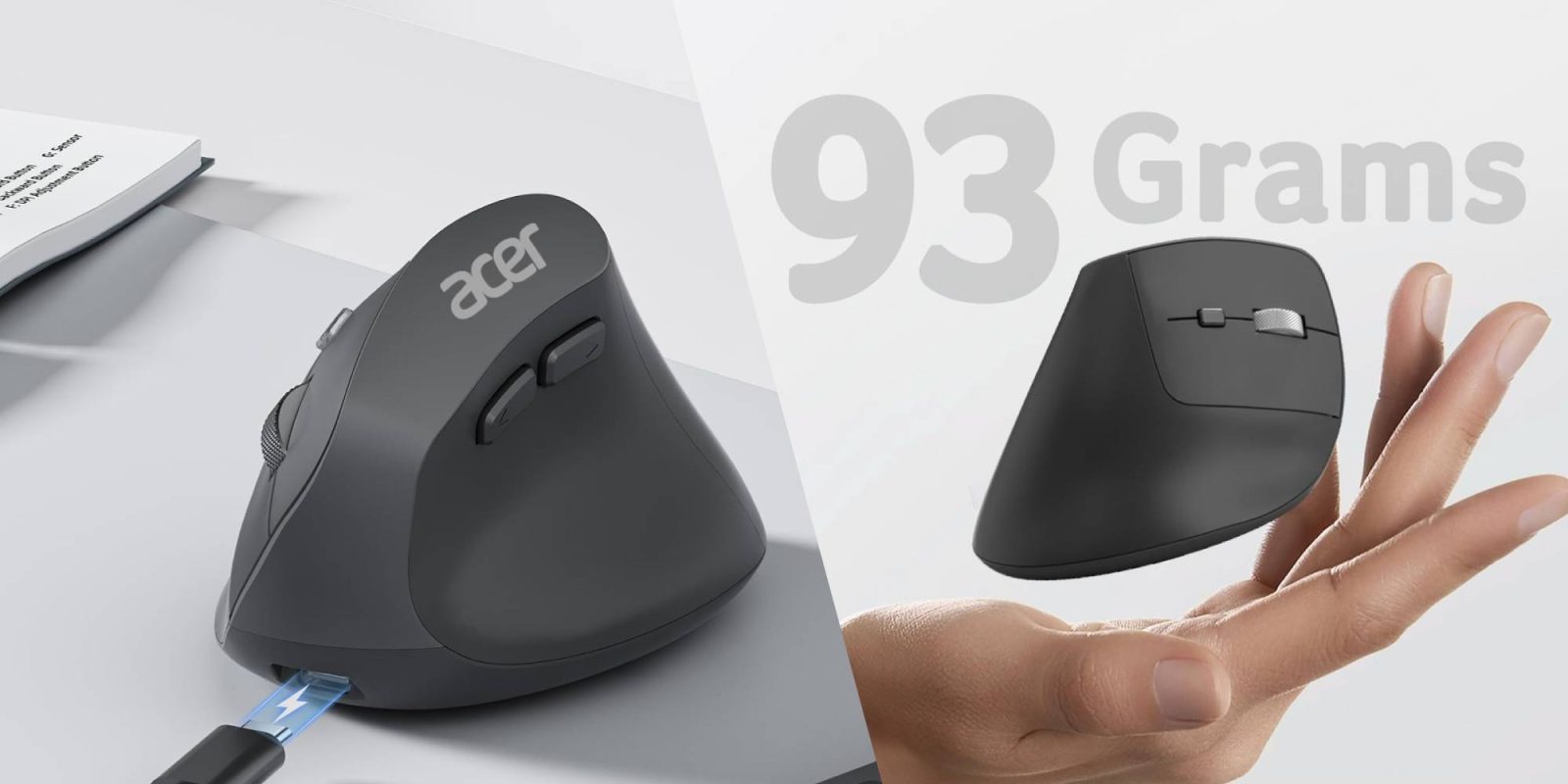
Acer Ergonomic Wireless Mouse
Buy for $20 (Reg. $28)

What we love
This ergonomic offering features a vertical grip that in my experience is quite comfortable to use. If you’ve been wanting to try a mouse like this, here’s your shot to do so without spending big.
More curated coverage for you


Acer Ergonomic Wireless Mouse features:
- [57° Ergonomic Vertical Design] This mouse ergonomic features a vertical design that naturally contours to your medium to large hand. Its 57° tilt angle reduces wrist and arm pressure, decreasing muscle activity by up to 10% for greater comfort and less fatigue during prolonged use. 📌📌To reduce fatigue, let your palm rest naturally against the mouse’s contour and require 1-2 weeks of adjustment.
- [2.4GHz Wireless Connection] This wireless ergonomic mouse offers a fast and stable 2.4GHz wireless connection. You can easily connect it via the included USB-A receiver, ensuring smooth operation with a reliable range of up to 32 FT (10 M). 📌📌NOT Bluetooth connection. The USB A receiver stores inside the mouse.
- [3 Adjustable DPI Settings] This vertical wireless mouse offers three adjustable DPI levels (1000/1200/1600) for seamless precision in navigating spreadsheets, editing documents, or managing tasks. Switch effortlessly between settings for optimized control throughout your workflow.
- [High-Capacity Rechargeable Battery] This rechargeable ergonomic mouse is equipped with a durable 300mAh lithium rechargeable battery, lasting up to a month on a full charge. Easily recharge with the included USB cable—no battery changes needed. 📌Sleeps after 10 minutes. Wake with double clicks.
- [Quick Navigation Buttons] This ergo mouse is equipped with forward and backward buttons, enabling fast navigation through web pages and folders. Streamline your workflow by easily switching between tasks with a simple click. 📌Side button does not work on Mac.
- [Wide Compatibility] The Wireless PC mouse works with macOS, Windows, Linux, and Chrome OS, along with various devices and operating systems, making it a versatile choice for home or office use. 📌📌 If the mouse doesn’t meet your needs, kindly place the USB receiver in the battery compartment and send both back.
Get bite-sized deals sent directly to your inbox every day with our 9to5Toys Steals newsletter


FTC: We use income earning auto affiliate links. More.

You’re reading 9to5Toys — experts digging up all the latest technology and lifestyle deals, day after day. Be sure to check out our homepage for all the latest news, and follow 9to5Toys on Twitter, Facebook, and LinkedIn to stay in the loop. Don’t know where to start? Check out the best Apple deals, our daily podcast, and subscribe to our YouTube channel




Comments