
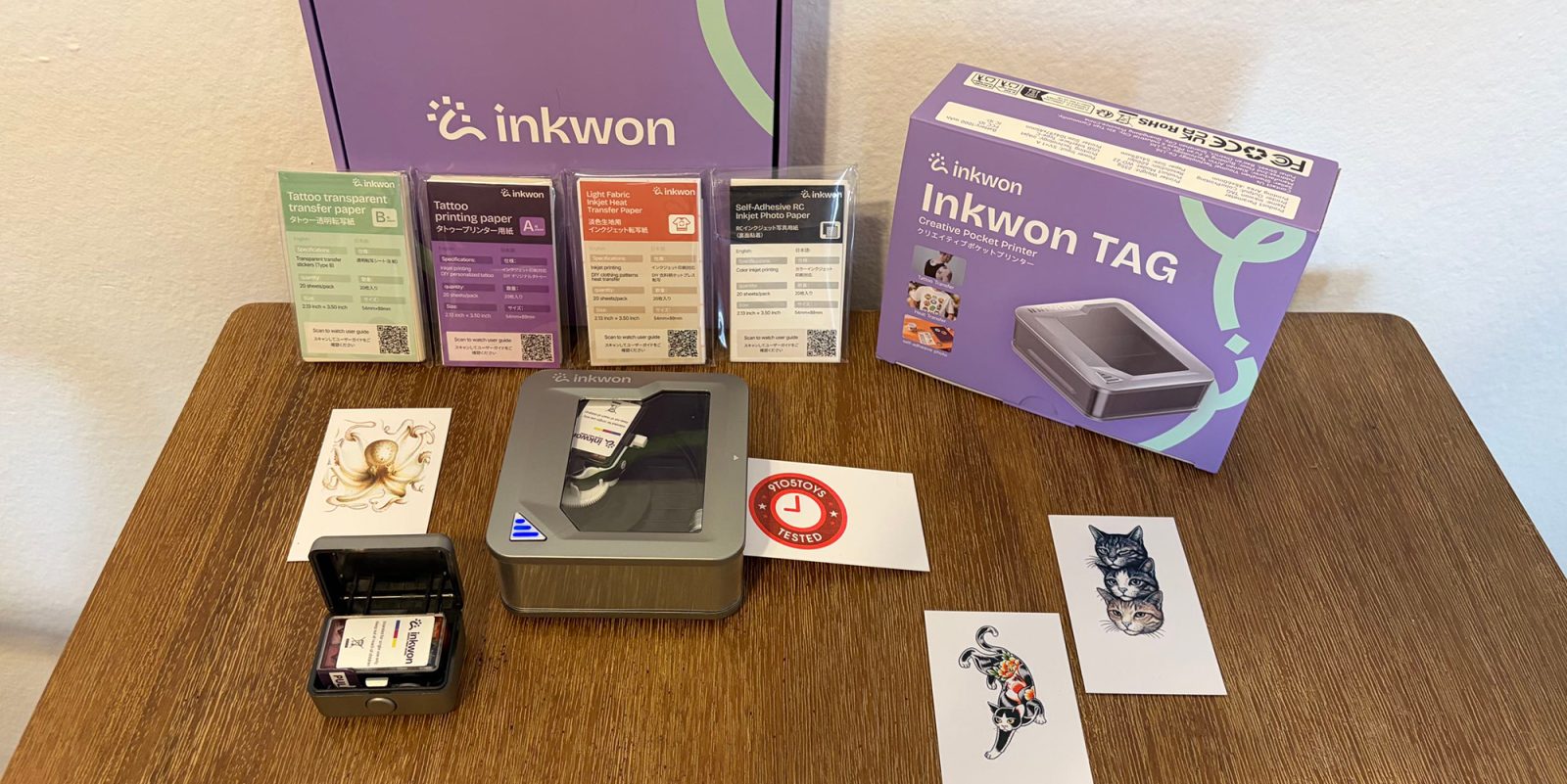
When it comes to pocket printers, there are plenty of options on the market in this day and age, though they tend to only stick to one focus and never try to offer multi-functional use. That gap is precisely where INKWON steps in, with its new Tag 4-in-1 Pocket Creative Studio handling just about everything – photos, stickers, heat-transfer clothing prints, and temporary tattoos. With this new first-gen device currently coming closer and closer to its Kickstarter end date, I got to go hands-on with a beta test of the system, and have walked away quite impressed that it keeps close to the company’s pitch.
You’re reading Tested with 9to5Toys, where we explore everyday tech essentials that make life a bit easier. Browse through our entire guide for all of the latest reviews, and sound off in the comments below if there’s something you’d like to see featured.
Hands-on with INKWON’s Tag 4-in-1 Pocket Creative Studio
As I mentioned, the INKWON Tag is still riding its Kickstarter campaign through June 22, 2026, and you’ve got quite a few options to get in on the ground floor, as things have long exceeded the company’s goal and will be fulfilled once the clock officially ticks us through the final minute, with deliveries expected to begin around August, 2026.
While you can still find several different early-bird backing rewards to choose from that give you some solid savings (starting from $199), the Tag’s Basic Pack will be priced at $299 shipped upon the campaign’s end, while the Mega Pack will sit higher at $349 shipped. The former of these gives you the printer, an ink cartridge, and 60-sheet packs of the heat transfer paper, photo/sticker paper, and tattoo paper. From there, the Mega Pack provides you the printer, double packs of cartridges/paper types, as well as a tote bag, T-shirt, and photo frame.
Features at a glance:
- Print resolution: 600dpi
- Inkjet Cartridge: CMY 3-colour (1.2ml) dye based
- Max print width: 54 x 89mm
- Charging: USB Type-C (takes 2.5 hours)
- Battery Life: 90 minutes on full charge
- Cartridge lifespan: 60 sheets
- Connectivity: Bluetooth 5.4
- Dimensions: 105x97x45mm
- Weight: 235g
9to5Toys’ Take
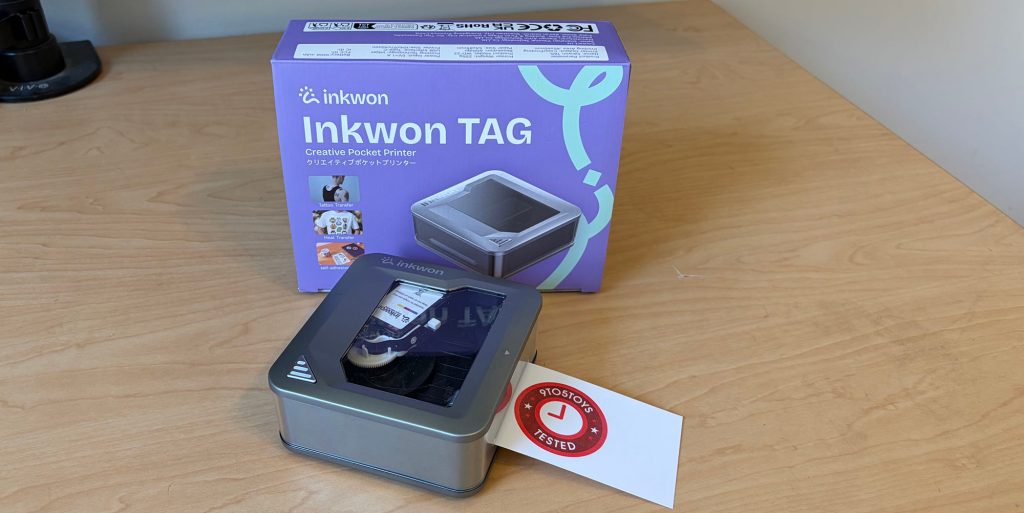
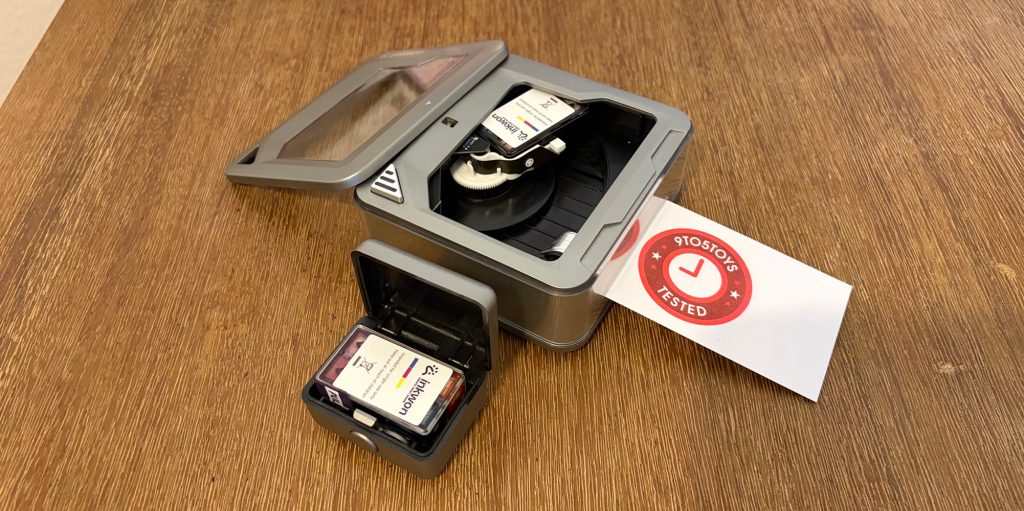
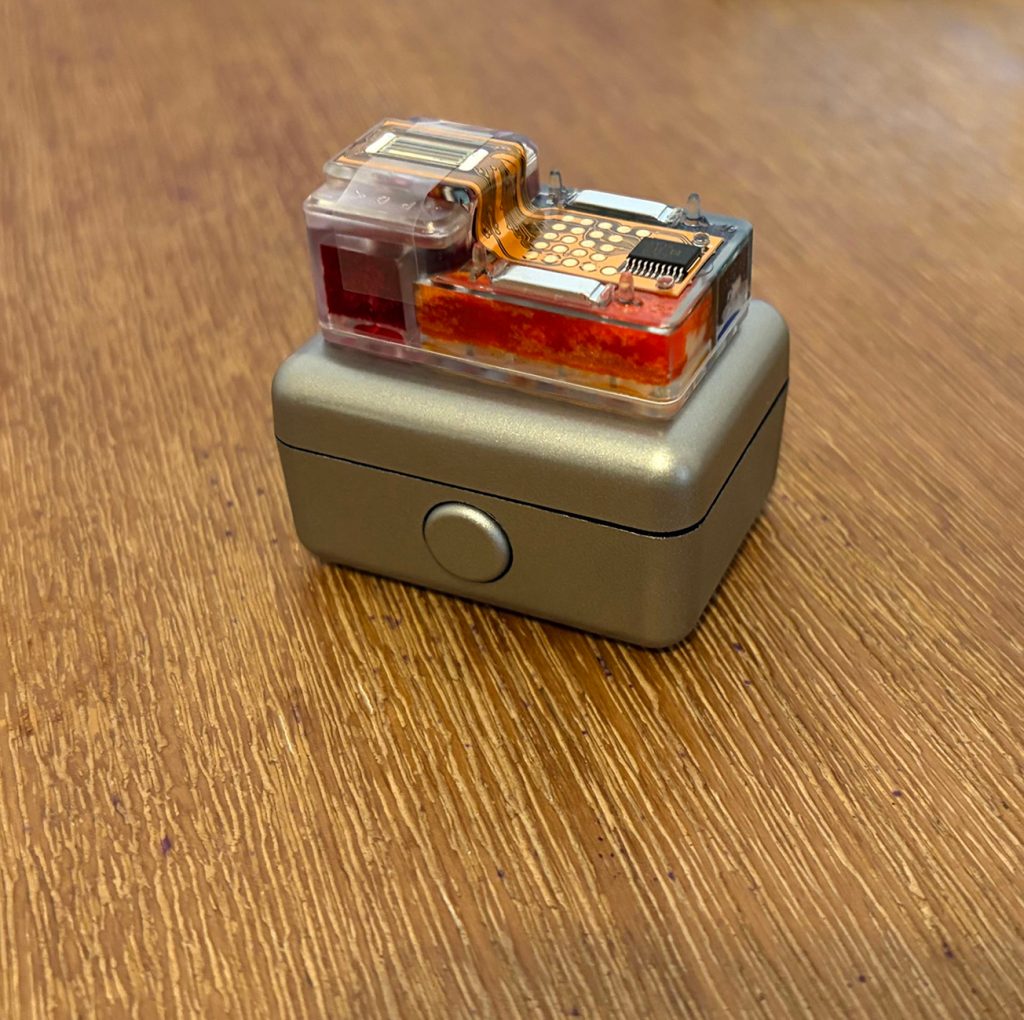
What I particularly admire here is that folks of all ages can find joy in using the INKWON tag, as its simple-to-use, streamlined design simplifies everything and makes it incredibly user-friendly for anyone with basic app knowledge. The central device comes as a palm-sized printer that roughly measures 3.9 inches by 3.8 inches by 1.8 inches and weighs just about half a pound. The lid pops right off for easy access to the magnetically snapped-in tri-color ink cartridge, with an automatic paper feed for a single sheet at a time through a little slot on its side – after barely sticking it in, the system pulls it through so you don’t have to question or force-feed things.
It’s an extremely fast setup, with the box including a start-up guide, that only takes a few minutes to complete after charging it. You just have to turn on the device, insert the cartridge, install the companion app via the QR code, pair it with the app through Bluetooth, and load your paper. Of course, if you aren’t going to be sticking to its library of pre-loaded designs, things may take a little longer, but really that just entails using your own photos, making any edits to it, and printing.
So let’s get into the actual performance now. To start, the INKWON Tag provides 600 DPI CMY color resolution, and it’s been handling everything I throw at it remarkably well. I figured the pre-loaded designs were optimized to come out crystal clear (which they do), though I had less hope about actual photos from my phone’s library, but I was happy to eat those concerns upon having it print several photos of a variety of things – my cat, some of my paintings, selfies, and more. Skin tones weren’t washed out, text stayed legible, and the blending gradients and strokes in my paintings maintained their vibrancy.
Now, there are some limitations that everyone should be aware of, but they will likely not be surprising given its size. For the actual printing, it maxes out at a 1.8-inch width, while the paper can only be 2.1 inches by 3.5 inches, giving you small-canvas capabilities that will not change down the road. You should also be aware that its dye-based CMY ink will not have the same longevity as pigment ink and will fade over long periods of direct sunlight, which only really affects the decisions for folks looking for larger-scale creations and/or industrial-level prints.
So how do all four of its uses perform when put to the test?
Well, for starters, if you’re wondering about the battery/cartridge capacity, both are designed to run out together after making 60 prints, though depending on what kind of images you’re printing, you may use up the ink for one of the three colors before you reach this point.
One thing I will point out that happened twice was that when the battery dropped below 20% during testing, the system would randomly stop printing, then finish after I cancelled the print and disconnected from the device within the app. Since those two times, this hasn’t happened again, so I chalk it up to a random glitch, but I’m sure it’s a bug that will be fixed before it officially launches and ships in August.
The photo/sticker printing is crisp, clean, and clear, delivering a nice little 2.1-inch by 3.5-inch inkjet photo, with the included stock paper having an adhesive backing that peels right off so you can stick it securely to your laptop, notebook, scrapbook paper, and just about anything else. The initial shapes are limited to whatever design you fit within the rectangle in the app, with scissors easily allowing you to further shape things to your preference.
The heat-transfer mode gives you just what you’d expect, though the brand has limited this particular feature to light-colored fabrics, as there is no white under base for things to properly work on darker fabrics. Still, it offers a lot of fun that I think younger users (and any adults wanting to just update old clothing) will absolutely love. The quick-start walkthrough that is provided is very straightforward, requiring you to print, peel away the backing, lay the design face up on the shirt, cover it with a heat-resistant sheet (like parchment paper, for example), and apply a hot iron (medium-high setting) for 25 to 35 seconds of firm, even pressure. What’s more, I ran the T-shirt through a few cold water wash cycles and haven’t noticed any deterioration, peeling, or fading yet.
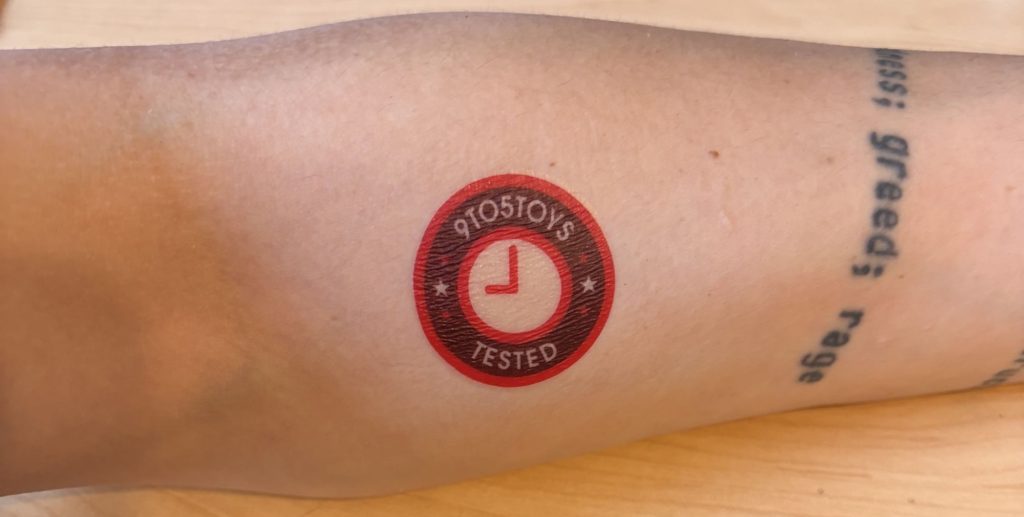
Now, I’ll be honest: out of its different modes, the temporary tattoo was the one I was least interested in, but I’ve since changed my tune. The ink comes with the brand’s guarantee that it is 100% skin-safe, with various compliance certifications. Application is what you’d expect; simply use a wet washcloth on its backside for around 30 seconds or so, and you can remove the paper to enjoy the transfer. I even noticed it sticking around for a few days, complete with daily (normal) showering, before it started flaking off my skin. However, I had to test this part twice, as I did notice that it will come off if water gets hot enough. For context, my shower was tweaked to reach boiling temperatures, and when I was in that ridiculously hot water (like turning my skin red on contact hot) it slipped right off. Of course, showering at more reasonable temperatures saw it last longer.
Now, I’m very certain kids will be the primary lovers of this feature, but I am giddy waiting for my chance to use it with some of my friends’ blank canvas tattoos, which allow for regular switching out of temporary tats for versatile and customizable art. I’ve also been using it with some of my own designs to get a sense of smaller tattoo placements on my own body.
All in all, I’ve been having a lot more fun with this device than I honestly thought I would, as I originally chalked it up as a novelty gimmick. But with specific uses now in my mind – the temporary tats for blank canvas tattoos, or using the sticker printing to make fun QR codes and other marketing stickers for the book I have spent the last two years writing with my closest friend and sticking them up all around NYC – I’m really happy to have this on me wherever I go.
And don’t be worried about restocking supplies – cartridges, paper, etc. – once you run out, as the brand plans to make them available on its website following the end of the Kickstarter campaign. I’m sure we’ll all be seeing passersby pulling them out regularly in public, or kids using them for school craft projects, and so many more things, and of course, this definitely fills me with excitement thinking about what could follow this device down the line once the brand is ready to take its next step into a new device.


FTC: We use income earning auto affiliate links. More.



Comments