
Update (7/24 4:35pm): All the codes are gone! You can still save 50% off by visiting this page.
We’ve partnered with ThnkDev to give away fifty free licenses of its popular Mac OS X utility: QuickRes. We recommended this app in our review and have found it to be a must-have partner for your built-in or external display.
Head below for full details on the app and to learn how you can grab one for yourself.
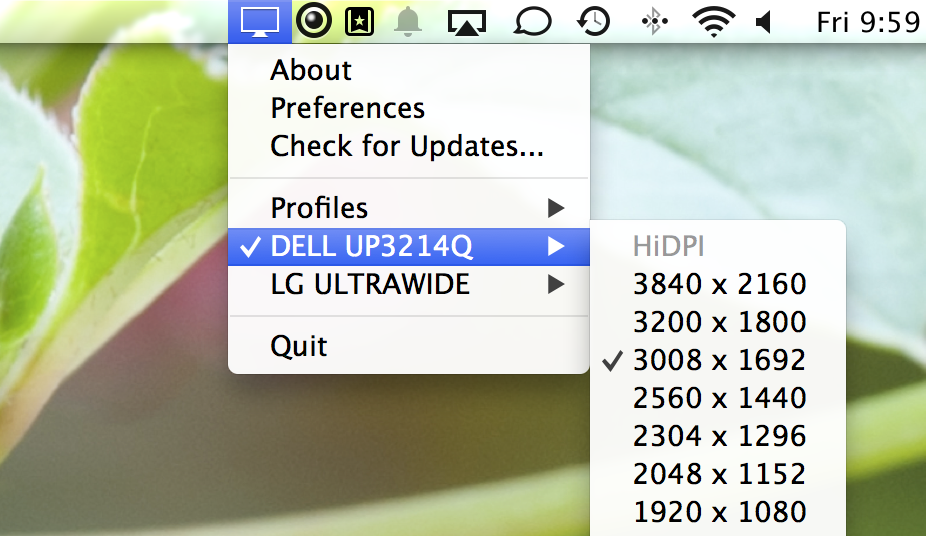
QuickRes allows users to instantly change the resolution of their display to higher than traditional pixel densities. Retina displays will be able to boost its resolution to 3840 x 2400 while regular monitors can achieve HiDPI modes. The full app description:
QuickRes is the best way to switch between screen resolutions on your Mac. With the 15 inch MacBook Pro with Retina Display, you can set your resolution all the way up to an extreme 3840 x 2400! With legacy computers, you can set your resolutions to things you’ve never seen before, including a HiDPI mode, which is as close as you can get to a Retina Display on a standard monitor.
The first 50 readers to visit this page will receive a free license for QuickRes. Didn’t make it in time? You’ll still be able to pick up a license at an exclusive 50% discount.
Be sure to check out ThnkDev’s new screenshot manager: QuickShot. This app puts all of your captured images into your menubar for easy access at the click of a button. I’ve spent some time with it and have found it to be a nice addition to my workflow for finding the latest deals.


FTC: We use income earning auto affiliate links. More.


Display Menu does pretty much the same thing and its free: https://itunes.apple.com/us/app/display-menu/id549083868?mt=12
Sorry about the codes disappearing so quickly! We love 9to5Mac/Toys and all of its readers!
Here’s a link to our full website: http://www.quickresapp.com
And just because the codes were all used in under 8 minutes (!), here’s another 10 free copies: https://gum.co/quickres/9to5free2