

The holiday season is right around the corner, which means it’s time for our annual gift guides to help you find the perfect picks for friends and family. We’ve already covered Apple fans, and today we’re spotlighting our favorite PC gaming upgrades to level up any battlestation. Whether you’re shopping for essential accessories to enhance an existing setup or looking at new gaming PCs and laptops to build one from scratch, we’ve rounded up the top recommendations for every PC gamer on your list. We’ve also included some deals that you can get your hands on right now to save some cash while also taking care of your loved ones. Head below for a curated selection of the best gifts for anyone who loves gaming.

PC gaming gift guide

Xbox PC Game Pass
Microsoft recently overhauled Xbox Game Pass, rolling out new tiers and raising prices on some existing plans. Even with those changes, Game Pass is still one of the best deals in gaming thanks to the massive library of titles it unlocks instantly. I’ve been a subscriber for as long as I can remember, and I use it even more now that Xbox Cloud Gaming has gotten legitimately good – letting me jump into great games on almost any device. I usually grab an annual plan or stack a few months at a time, and honestly, it makes a fantastic gift for the gamer in your life. Give them Game Pass, and they’ll be set with something new to play all year long. Amazon, by the way, still has the Game Pass Ultimate tier down at its old $19.99 price, so you might want to jump on it now and stack a few months together.
Xbox Game Pass Ultimate – 3 Month Membership $59.99
Xbox Game Pass Ultimate – 1 Month Membership $19.99
Xbox Game Pass Essential – 1 Month Membership $9.99
Xbox Game Pass Essential – 6 Month Membership $39.99
PC Game Pass – 3 Month Membership – $35.99
Keyboard, mouse, and controllers – Small upgrades that matter
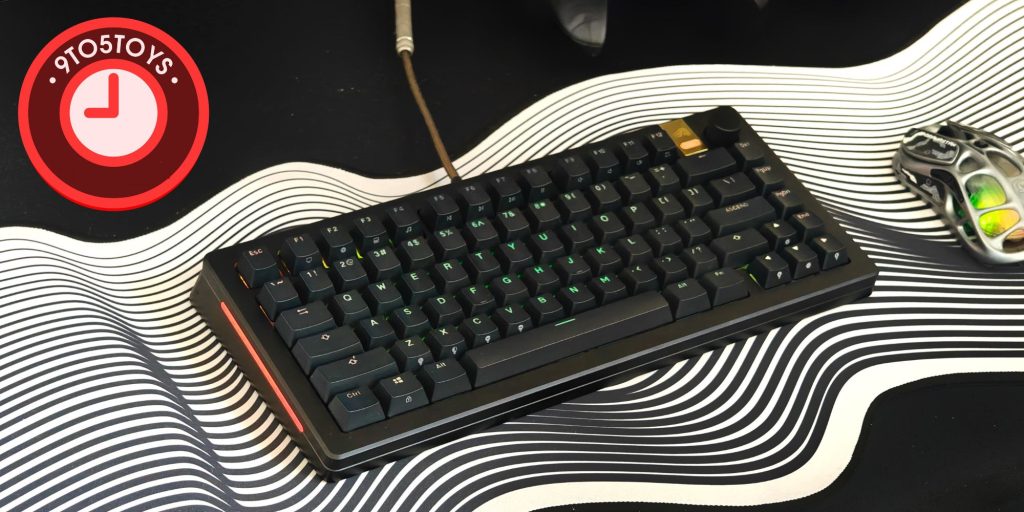
If you’re looking to upgrade someone’s new or existing gaming setup, then consider grabbing some new peripherals like keyboards, mice, and controllers. Having the right accessories to go with the setup is extremely important, so these peripherals make for great gifts. Starting off with some keyboard options, there are a bunch of options to choose from if you’re searching for a gift for a PC gamer whose keyboard has seen better days. The one I would happily recommend is the GMMK 3 Pro HE Wired keyboard. I’ve used this board extensively this year, and I always find myself going back to it while gaming. The highlights here include a 75% layout, has Hall effect switches, a solid aluminum chassis that looks and feels premium, and so on.
Alternatively, you can even check out Razer’s BlackWidow V4 Pro 75%, which remains one of the best options out there if you’re looking to buy a wireless 75% keyboard. It comes with a hot-swappable PCB that is topped with the brand’s Orange tactile switches, and another highlight worth noting here is its OLED panel at the top.
Other keyboards worth considering
- SteelSeries Apex Pro Gen 3 $260
- 8Bitdo Retro Mechanical Keyboard – Xbox Edition $96 (Reg. $120)
- Logitech G PRO X TKL LIGHTSPEED Wireless Gaming Keyboard $160
- Razer BlackWidow V4 Pro wired mechanical keyboard $200 (Reg. $250)

You can also consider gifting a gaming mouse as it can make or break a PC gamer’s experience. Logitech has a bunch of new options on the market right now that are worth considering. My go-to recommendations remain the same as last year from Logitech, as the G PRO Superlight 2 models are great overall options. There are a bunch of Superlight 2 models you can grab, like the Superlight 2 SE, Superlight 2C, and so on, with the differences being the sizes and the colors they’re available in. The internals and the overall specifications remain the same for the most part. There’s even a new Logitech Superstrike model with haptics that’s worth adding to your list.
Other gaming mouse worth considering
- Razer Basilisk V3 Pro 35K Wireless Gaming Mouse – Phantom White $170
- Logitech G PRO X Superlight 2 DEX Lightspeed Mouse $130 (Reg. $180)
- HyperX Pulsefire Haste 2 Mini $30 (Reg. $80)
- Logitech G502 X Lightspeed Wireless Gaming Mouse $110 (Reg. $160)
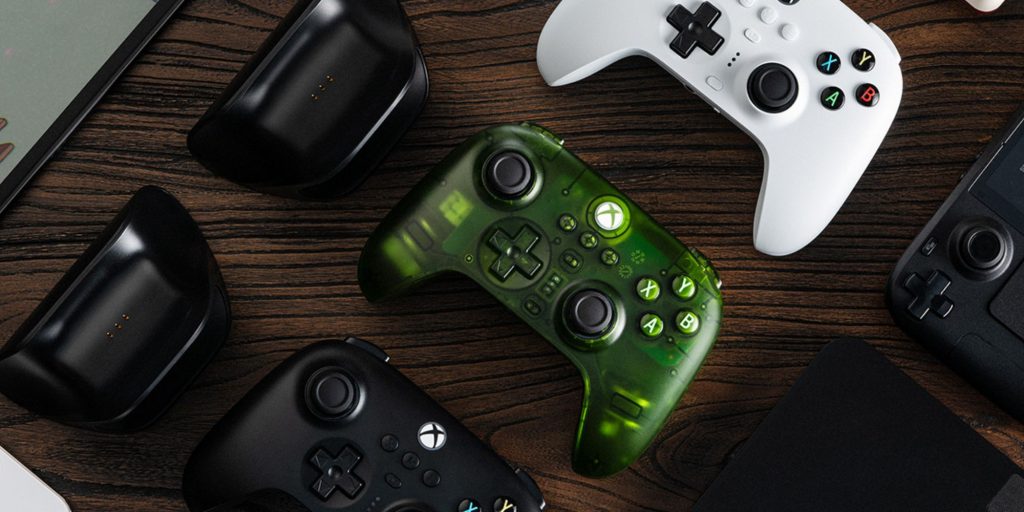
Gamers can always use a spare controller, making a new PC gamepad an easy recommendation for the person who already has everything. My top pick is the Xbox One Controller, particularly the relatively newer Breaker Series models. You can’t go wrong with either of them, as they all would stand out in pretty much any battlestation.
- Xbox controller – Heart Breaker
- Xbox controller – Storm Breaker
- Xbox controller – Ice Breaker
8Bitdo also has some great options if you’re shopping for a controller, and its Xbox Edition Ultimate gamepad would make for a solid gift too. You can snag it for $49.73 shipped right now, down from its usual price of $70.
- Xbox Elite Series 2 Core Wireless Gaming Controller $125 (Reg. $130)
- 8BitDo Ultimate 2C Wireless Controller $22.50 (Reg. $30)
- Razer Kitsune arcade controller $200 (Reg. $300)
Gaming monitors – Upgrade to OLED or high refresh-rate models
Your display, as you likely know, plays a huge role in your overall gaming experience. Upgrading to a higher refresh rate monitor can make gameplay feel noticeably smoother and more responsive, while moving to a larger or higher-resolution panel can elevate visual clarity in a big way. A solid option worth considering in the 27-inch category is Alienware’s AW2725QF model, that lets you pick between 4K 180Hz and 1080p 360Hz modes. This IPS monitor basically covers both aspects, meaning you get to have a high refresh rate as well as a high-resolution monitor on your battlestation for versatility. It uses an IPS panel with a 0.5ms GTG response time and covers 95% of the DCI-P3 color gamut, and you also get a solid port selection with two HDMI 2.1 inputs, a USB 3.2 Gen 1 port, and more.
Samsung’s Odyssey lineup has a ton of options as well, and one of the newer models we recommend checking out is the brand’s 37-inch Odyssey G7 165Hz 4K gaming monitor. You can get it for $599.99 shipped, which is $300 less than its usual going rate for Samsung’s Cyber Week sale event. It sports a curved 4K (3840 × 2160) panel running at 165Hz with a 1ms GtG response time. The panel here is certified for VESA DisplayHDR 600 and AMD FreeSync Premium Pro to deliver better contrast, brightness, and low-latency gameplay.
- ASUS TUF Gaming 27-inch FHD 240Hz monitor $239
- Acer Nitro 27-inch FHD 165Hz curved gaming monitor $130 (Reg. $162)
Gaming PCs and laptops – Help set up a new battlestation from scratch
Monitors and accessories can elevate a setup, but they won’t go far if the PC or laptop at the center of it all is in serious need of an update. That’s why we’ve gathered some strong recommendations to help you upgrade the heart of a battlestation or kickstart a brand-new one.
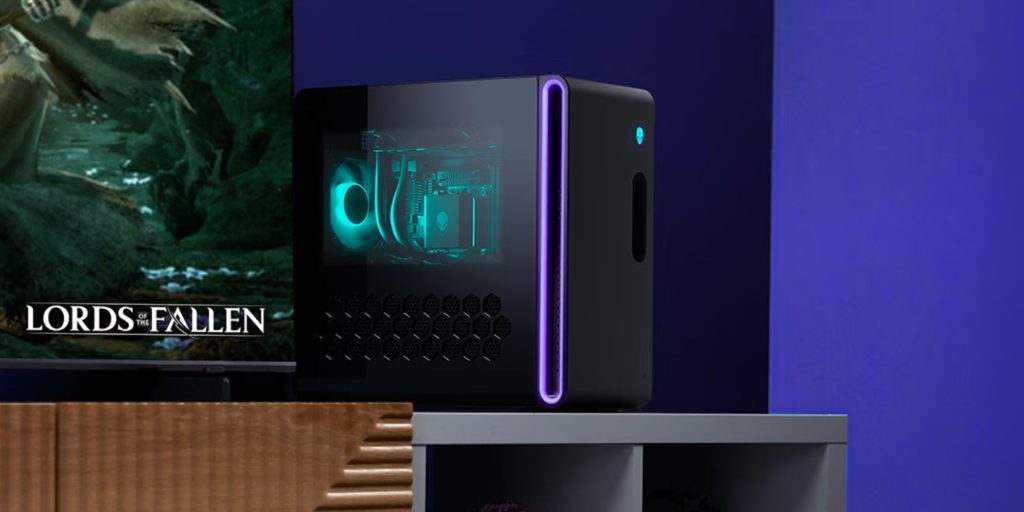
There are some great options out there if you’re looking for a prebuilt machine, and particularly the Alienware PCs might be the one you should check out first before the rest. The RTX 5060-powered Aurora desktop is hard to go wrong, especially now that it’s at $1,149.99 shipped, down from its usual price of $1,500. It delivers a good set of specs for the price and is powered by an Intel Core Ultra 7 265F 20-core processor along with 16GB RAM and 1TB SSD. You can even upgrade to a more powerful machine with, say, an RTX 5070 or even an RTX 5080 GPU for more performance, but you might want to stick to the Aurora desktop models instead of jumping up to the Area-51 series to keep the prices in check.
Best Buy also has a bunch of PC gaming PCs from the likes of CyberPowerPC and iBUYPOWER, and these machines deliver great value for your money if you’re not very particular about buying gear only from popular OEMs like Dell. We’re leaving some of our favorite picks below for you to check out:
- CyberPowerPC gaming desktop with Ryzen 5 5500/16GB/1TB/6500XT $700 (Reg. $780)
- Acer Nitro 60 desktop with i7-14700F/64GB/4TB/5060 $1,949 (Reg. $2,649)
- CyberPowerPC gaming PC with i5-14400F/16GB/1TB/5060 $1,100
- ASUS TUF T500 gaming PC with i5-13420H/16GB/1TB/5060 $800 (Reg. $960)
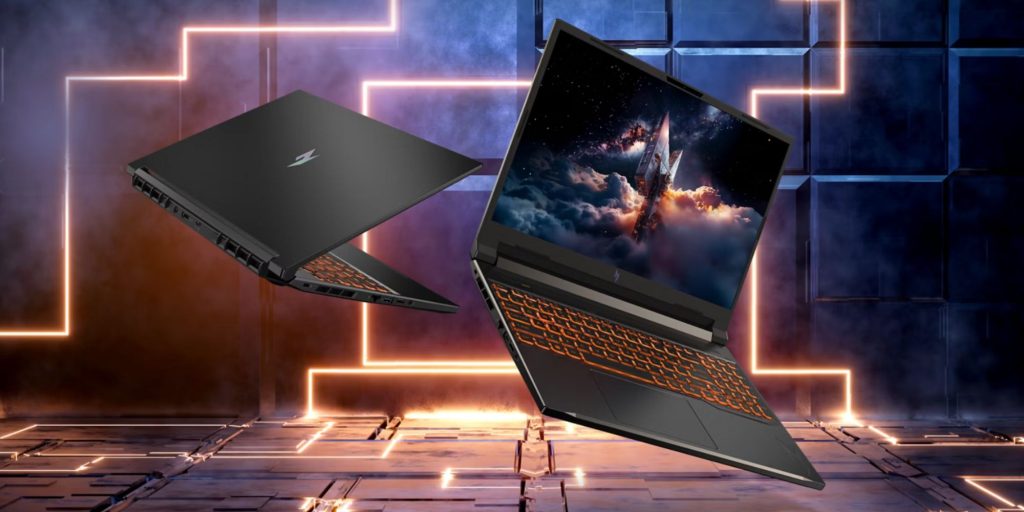
Want to buy a gaming laptop instead of a desktop? Well, there are plenty of great options here, too, and I’ve highlighted some of my favorite and reliable machines from Alienware, Lenovo, and ASUS below for you to check out.
- Lenovo Legion Pro 5 16-inch OLED gaming laptop with 8745HX/32GB/1TB/5060 $1,660
- HP OMEN 16-inch 2K 144Hz gaming laptop with Ultra 7/16GB/1TB/5060 $1,050 (Reg. $1,480)
- Acer Predator Helios Neo 16 AI gaming with Ultra 9/16GB/1TB/5060 $1,200 (Reg. $1,600)
- ASUS ROG Zephyrus G14 gaming laptop with Ryzen 9 270/16GB/1TB/5060 $1,800
- GIGABYTE A16 gaming laptop with i7-13620H/16GB/512GB/RTX 4050 $860 (Reg. $880)
- GIGABYTE AERO X16 gaming laptop with Al 7 350/32GB/1TB/5070 $1,350 (Reg. $1,650)
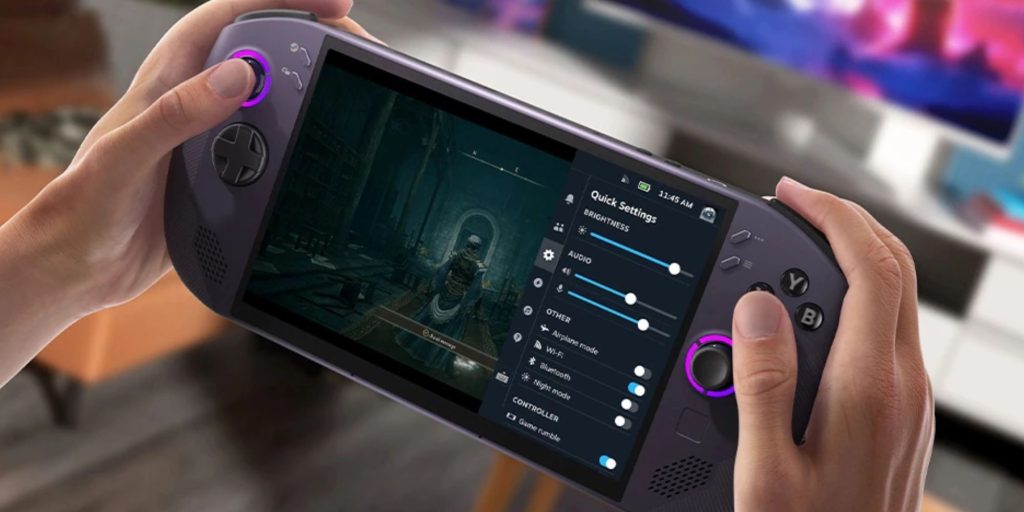
PC gaming handhelds – for on-the-go gaming
It’s been an eventful year for gaming handhelds as we got to see a bunch of new options pop up on the market. Even Microsoft decided to jump in with an ASUS collab for its own Xbox-branded handhelds. Both the Xbox ROG Ally and the Xbox ROG Ally X remain my top recommendations for PC gaming handhelds to buy this holiday season. They’re both new, offer pretty stacked hardware, and the overall software experience that’s built on top of Windows remains quite versatile as well. You can learn more about the specifications of these Xbox handhelds over at our launch coverage right here.
But just to summarize, you get either an AMD Ryzen Z2 A or a Ryzen Z2 Extreme processor depending on which model you pick. The Ally X is the more powerful version of the two, packed with 24GB RAM, a 1TB SSD, a bigger 80Whr battery, and more. The regular Ally, on the other hand, is suitable for more casual gamers with relatively less powerful internals.
If you’d rather look elsewhere for handhelds, then Lenovo’s Legion Go models are great options to consider. There are both Windows and SteamOS-powered Legion Go S models, or you can even pick up the relatively newer Legion Go 2 handheld.
Lenovo Legion Go 2 $1,350
Lenovo Legion Go S – SteamOS $650
Lenovo Go S – Windows $980
Miscellaneous cool additions for battlestation
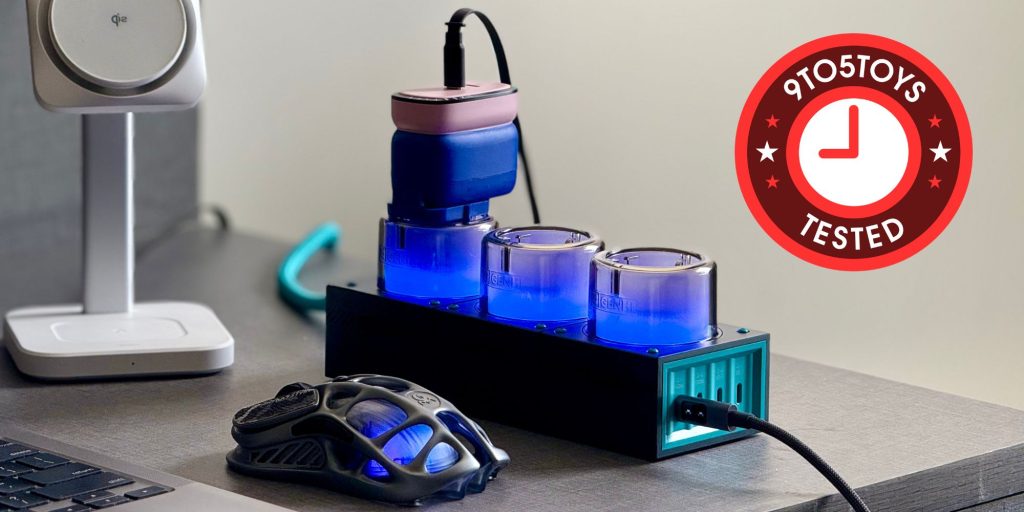
Genki’s Moonbase 240W GaN desktop supercharger
When I reviewed Genki’s Moonbase 240W GaN desktop supercharger earlier this year, I called it a power strip that’ll essentially want to show off on your desk instead of hiding it underneath, and that’s exactly why this particular item has made it to this list of cool additions to your battlstation. It’s never a bad idea to add a power strip to your battlestation to have to extra power sockets – you probably have one already – so might as well consider replacing the typical boring ones with this cool-looking Moonbase supercharger that comes with three protruding AC ports on top, each surrounded by a thick LED ring that can be switched off or set to one of eight colors. There are additional USB-C ports at the front as well, and you can learn more about it in our hands-on review right here.

LEGO Super Mario World: Mario & Yoshi Building Set
Another really cool addition to your battlestation would be this LEGO Super Mario World building set with up to 1,215 pieces. This set essentially lets you construct a 16-bit version of two of the franchise’s most famous characters – Mario riding on the back of adorable Yoshi. This makes for a standout display piece, especially with its hand-crank mechanism that sets Yoshi’s legs and tongue in motion. It’s a charming throwback to the ’90s that delivers plenty of nostalgic warmth and joy.
- Govee RGBIC Strip Light 2 Pro with Matter $70 (Reg. $100)
- OCOOPA Magnetic Rechargeable Hand Warmers $43
- DELTAHUB Carpio G2.0 wrist rest $35 (Reg. $50)
- RESPAWN ergonomic gaming chair $150
- HyperX Cloud Alpha gaming headset $60 (Reg. $80)
- ComfiLife Ergonomic Under Desk Foot Rest $40


FTC: We use income earning auto affiliate links. More.





Comments