
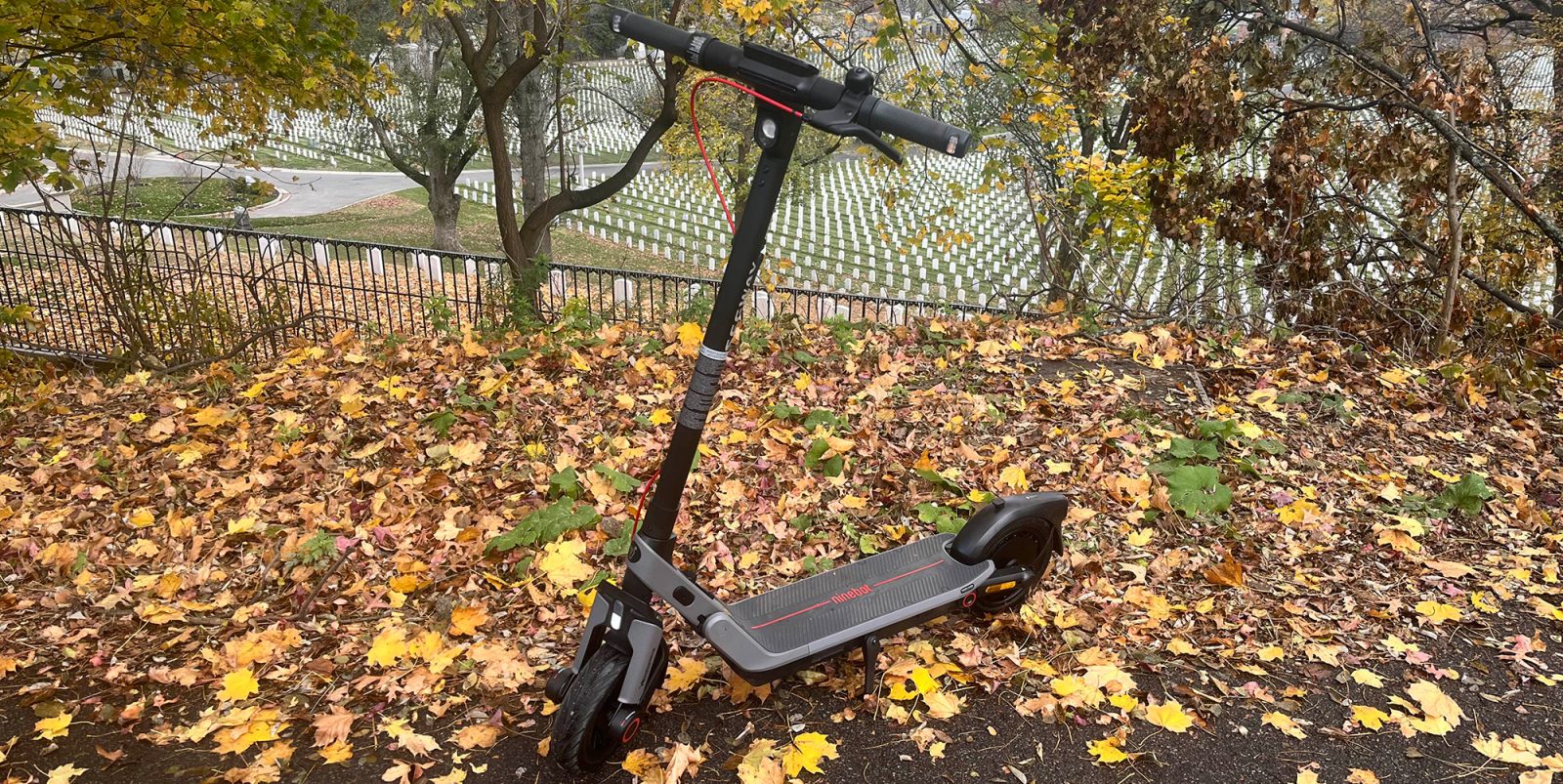
I hopped on my first Segway back in 2020, when I picked up the Ninebot E22 Electric Scooter that has carried me across Brooklyn and exceeded all expectations of what a basic low-end model could do for as long as it has. Never once have I had problems with it (aside from its limited travel range of up to 14 miles not able to go further distances) – even with how rough I tend to ride it. It’s this and several other reasons that I was eager to get ahold of Segway’s newest Ninebot E3 Pro Electric Scooter. Not only is it a great step up from the basic performance of my previous model, it comes in at a relatively low price for what you’re getting. Head below to get my hands-on impressions of this new generation model that is a great casual means for commuters and general joyriders alike.
Unboxing Segway’s Ninebot E3 Pro Electric Scooter
Unlike some of my more unfortunate deliveries in the past, where the boxes were left downstairs and I had to carry them up, that was not the case for this scooter’s delivery. Though, to be fair, Segway’s E3 Pro e-scooter wouldn’t pose as much of a problem as MOD’s Easy SideCar 3 e-bike gave me, considering that it’s a folding, standing e-scooter that weighs about 40 pounds, so even with the box and stuffing and all, it was completely manageable.
As is always the case with seasoned brands like Segway, the E3 Pro came neatly organized and padded within its box. Assembly is very basic, which should be straightforward for anyone, even if you have less experience than it takes to assemble an IKEA table. All you have to do is connect some color-coded wires, place the top handlebar/display section into its fitted place, and screw it in tightly.


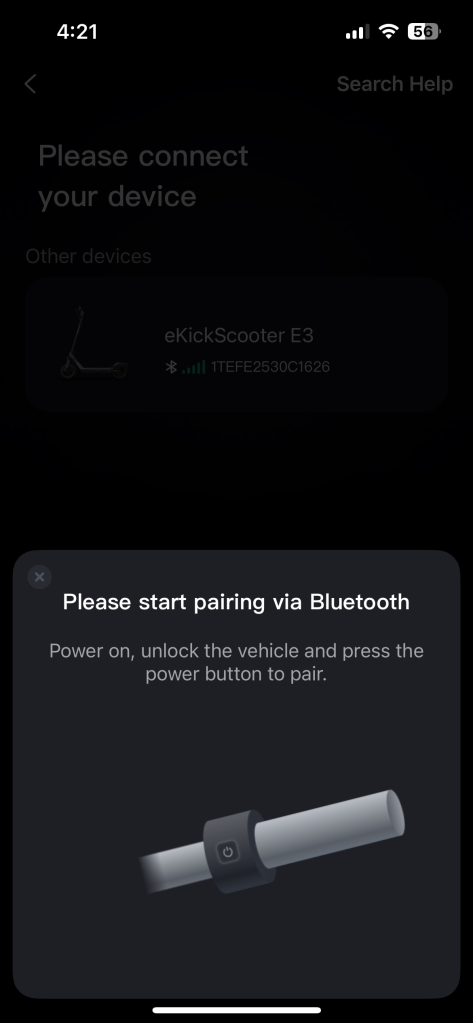
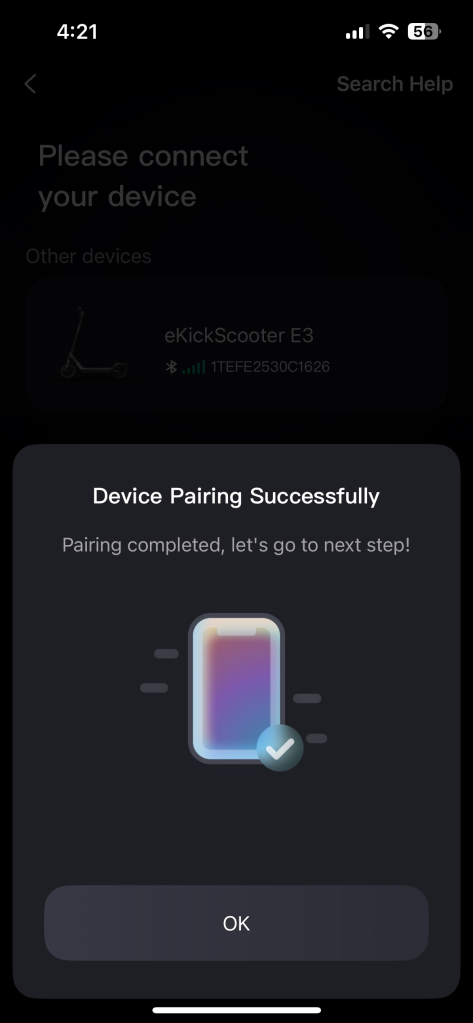
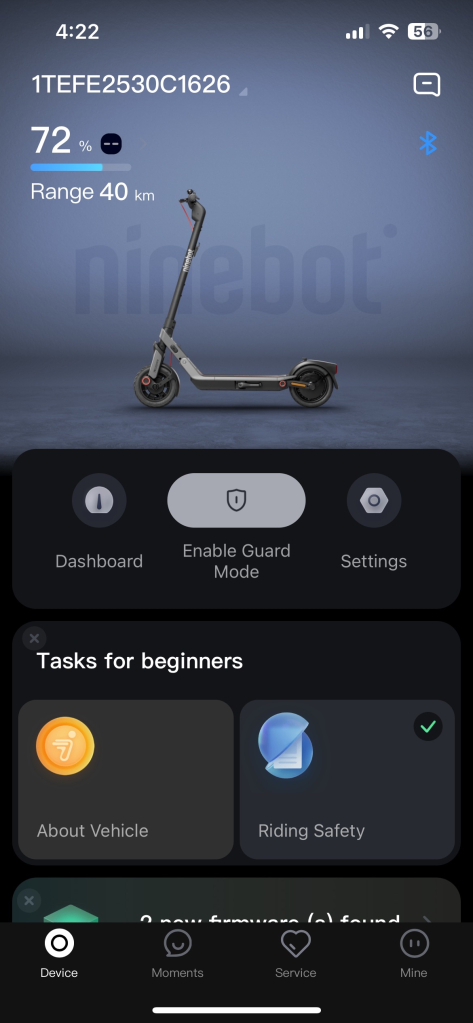
After everything was unboxed, unwrapped, and screwed in, all that stood between me and my first ride on it was a quick in-app setup. Like every other smart electric scooter that I’ve had, the setup process is basically a guided step-by-step pairing of said scooter and the app via Bluetooth. It took only a few minutes, and I soon had the green light to hit the streets. Of course, for anyone who hasn’t owned or used a smart e-mobility solution, there will be the obvious steps of downloading the app, registering an account, and so on.
Segway E3 Pro Electric Scooter riding experience
As is usually the case with EVs of this variety, Segway’s E3 Pro arrived with 70% battery being shown on its display, though I tend to find that out-of-the-box estimates can sometimes be optimistic, and this model was no different. I hit the streets and took my first ride around the neighborhood, keeping my eye on the battery meter/counter (in numerals), which dropped quickly while keeping to a small radius around my apartment. Of course, after this first ride running the battery down, and charging it back up, the battery capacity is affected at lesser rates, depending on what settings/modes I’ve had active.
Right off the bat, and in the weeks I’ve spent riding it, I’ve come to greatly appreciate the quick acceleration speed up to 20 MPH, when set in its highest Sport setting (with the lower settings being Walk, Eco and Drive, i.e., the standard). Now, if you want to conserve the battery for longer travels, the Eco mode is your best bet, though, if you’re like me, the max 9 MPH speed in that mode is too slow for personal comfort. The Drive mode is a better option in that case, maxing out at 15 MPH while putting less of a drain on the battery than the Sport mode.
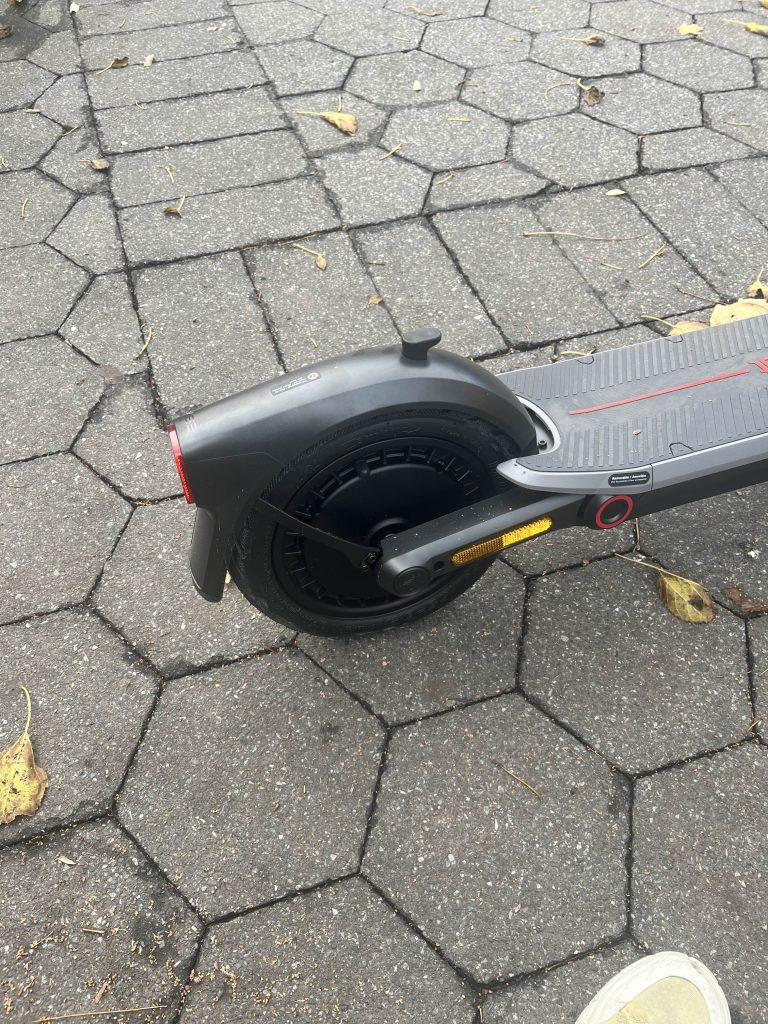
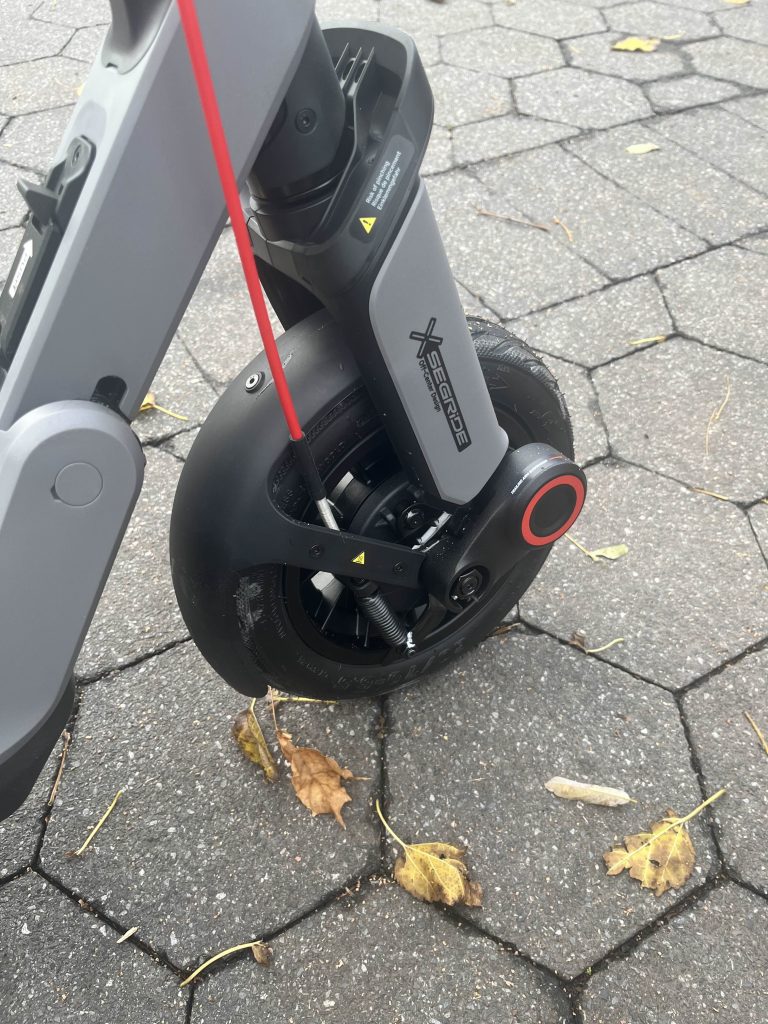
Steering is also very direct, as one might expect from e-scooters with smaller wheels, unlike e-bikes and other EVs that boast much more tire real estate. The Traction Control System does a nice job at keeping the tires from slipping, as I reluctantly tested with sharp turns. I use the word reluctant because, if you’ve read some of my past reviews on EVs, I have a track record of causing myself to wreck. Luckily, this marks the second testing since my most recent wreck on the Navee ST3 Pro e-scooter back over the summer, so I’m happy to say I am not cursed to repeat such mistakes, though there’s always time to prove myself wrong.
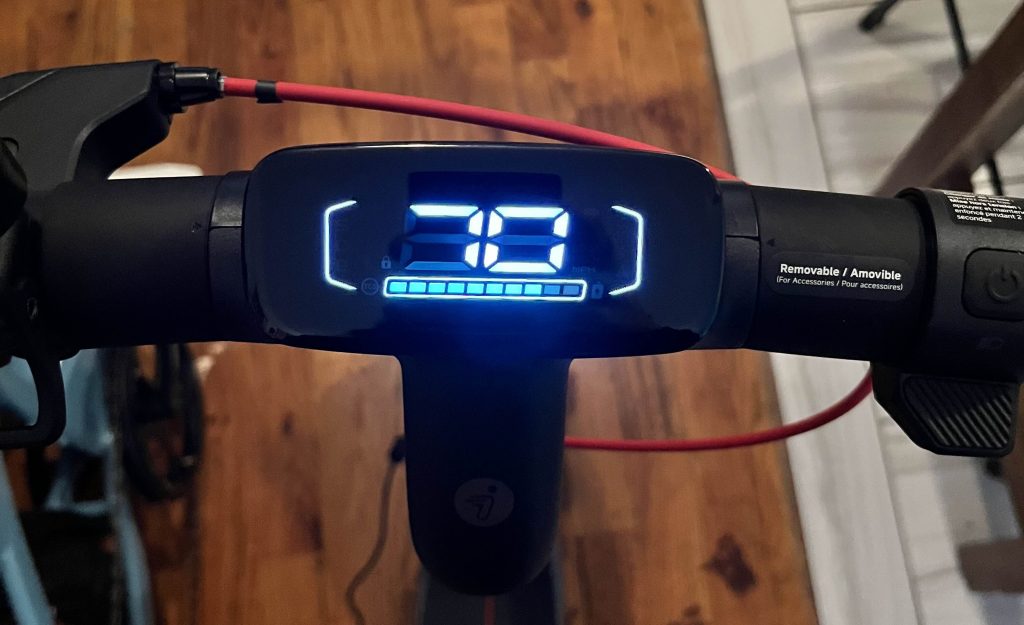
One slight (and very simple) thing that I could see causing an accident, though, is the dashboard and its controls. While there’s a nice big, bright 3-inch LED here, which is easy to see day or night, it does sit low enough under my gaze that looking down at it is a bit daunting and causes some meandering if you’re not strong-gripped, so tall riders will need to simply get used to that.
Another thing is the manner in which you switch through the riding modes, as well as turning off the ambient side lighting. It’s all done with several rapid-fire clicks of the power button, which is a little inconvenient while actually in motion. It’s definitely something you have to get used to – one push turns the headlight on/off, two quick pushes changes the mode, and three quick pushes toggles the lighting on/off. It hasn’t been the biggest annoyance, but there have been a few noticeable times when I was fighting it to switch modes rather than turning the headlight on and off.
The brakes took a few times to properly tighten up on that first venture, but in all the riding since I have yet to feel that same delay. It only comes with a front drum brake to pair with the rear regenerative brake, but I haven’t had any issues with it, having slammed on them repeatedly in the streets around careless car drivers and always stopping well before impacts.
While the suspension is nowhere in competition with the unique damping arm suspension of the Navee ST3 Pro, I’ve found it to be a lot more comfortable while riding down uneven and rough streets over past models where my vision would literally be shaking along with the scooter. Even taking it into parks and hitting trails, while not the cleanest or smoothest ride, it still lessens impacts from the ground and never made me worry. Another notable place of comfort is the wider-than-normal footboard, which provides significantly more room for my feet than many other models I’ve been on.
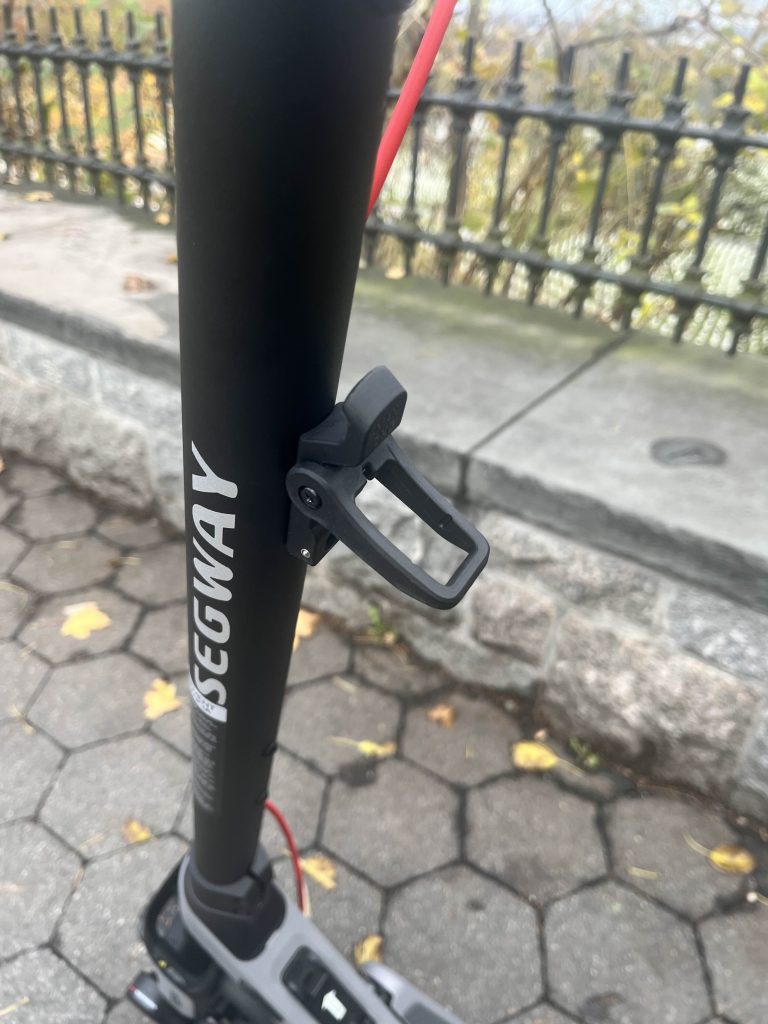
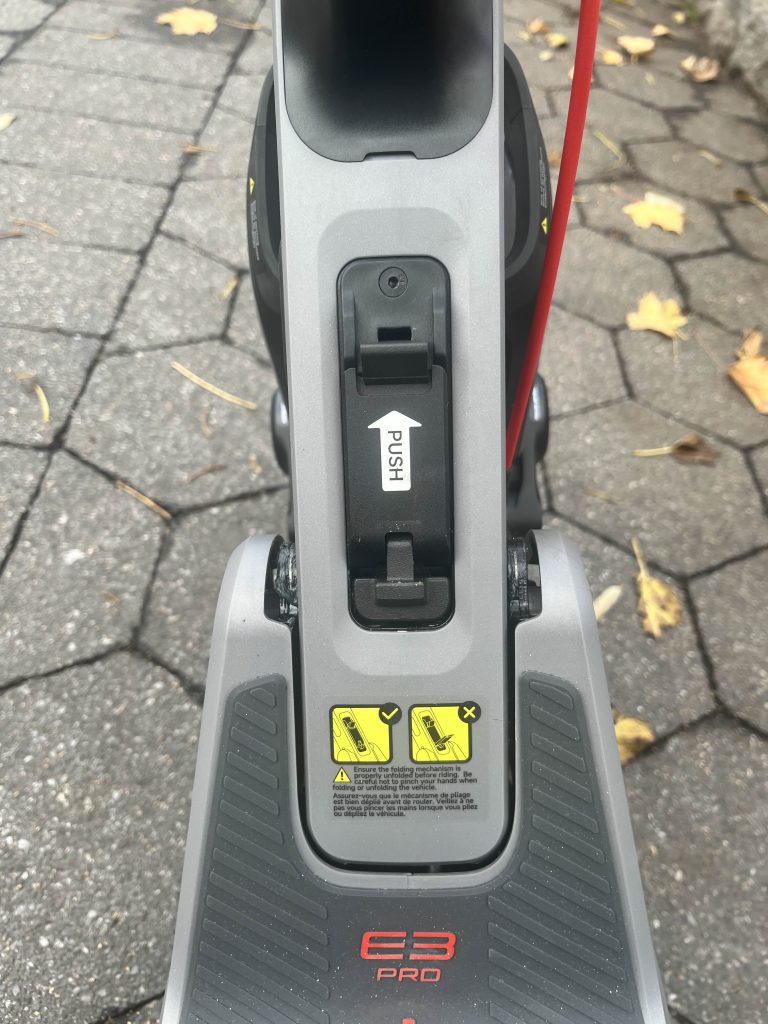
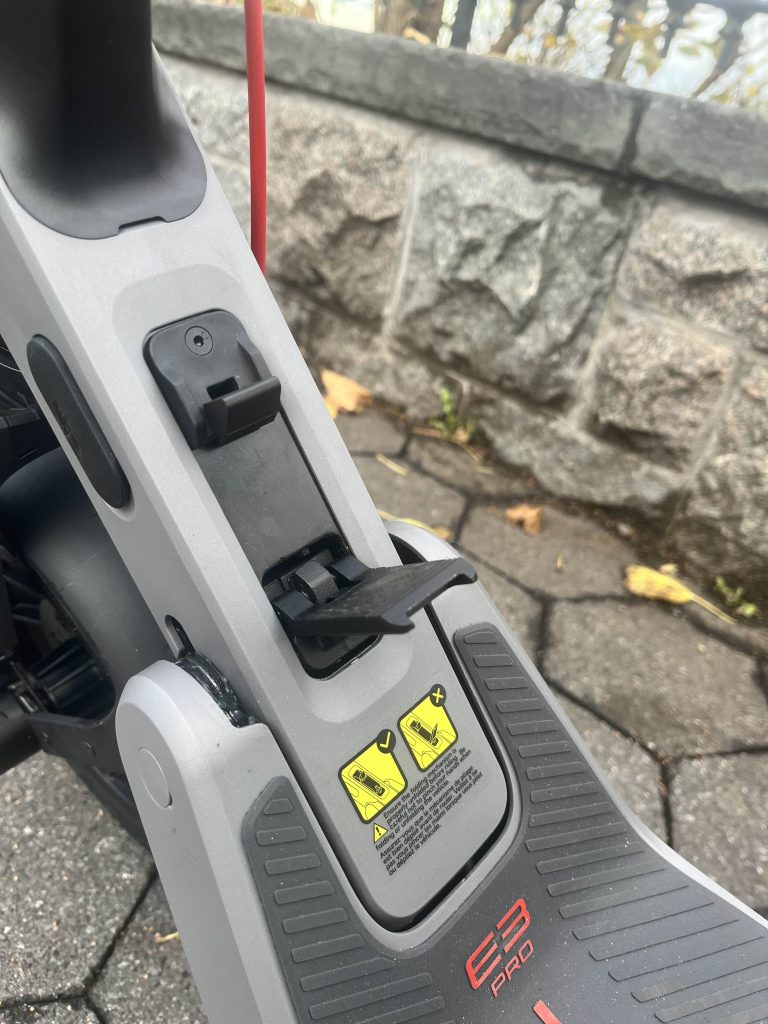
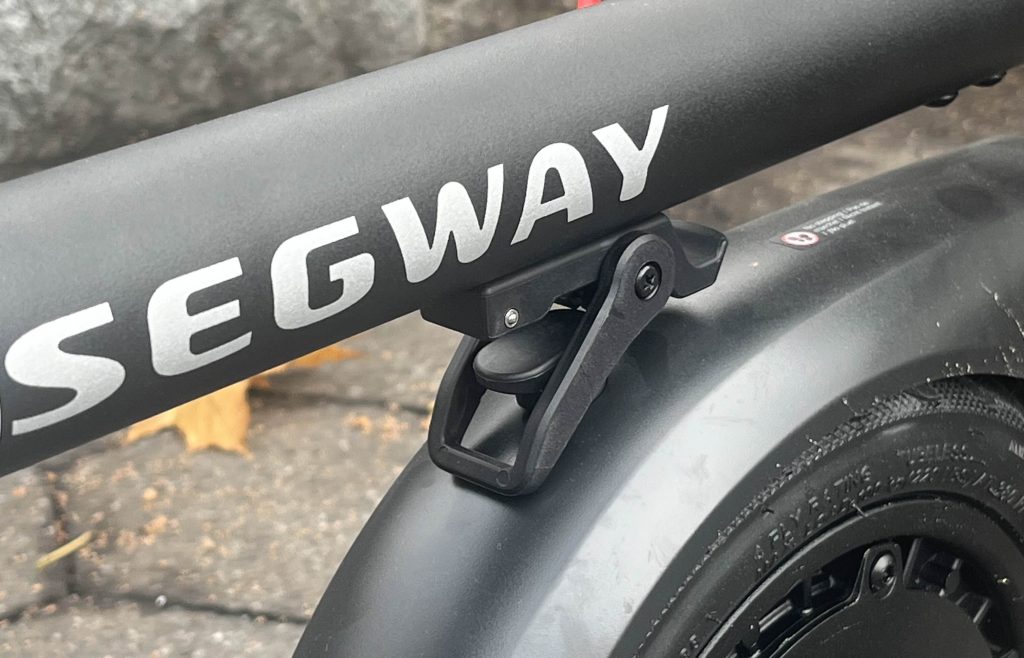
Folding it up (after figuring out the trick to it) and carrying it is completely doable for me with one hand, so I know most people who likely have far more arm strength than I do will find it easily manageable up and down stairs, and the like. As I said, there was a bit of a learning curve for the actual folding mechanism, with the small lever needing some decent force to actually unlock, which I cannot do without shoes of some kind. Luckily, things have seemed to loosen a bit more with constant use, so it’s easier to manage than that first attempt when I thought I’d either break it or push through the sole of my foot.
One thing to note for folks who may choose to lock it to a bike rack in public or other similar spots, there isn’t a whole lot of options for where you can thread locks, so be sure to choose which you’ll use with it before heading anywhere. The only real place is the gap between the front fork and the wheel, which many thick chain locks will not be able to fit.
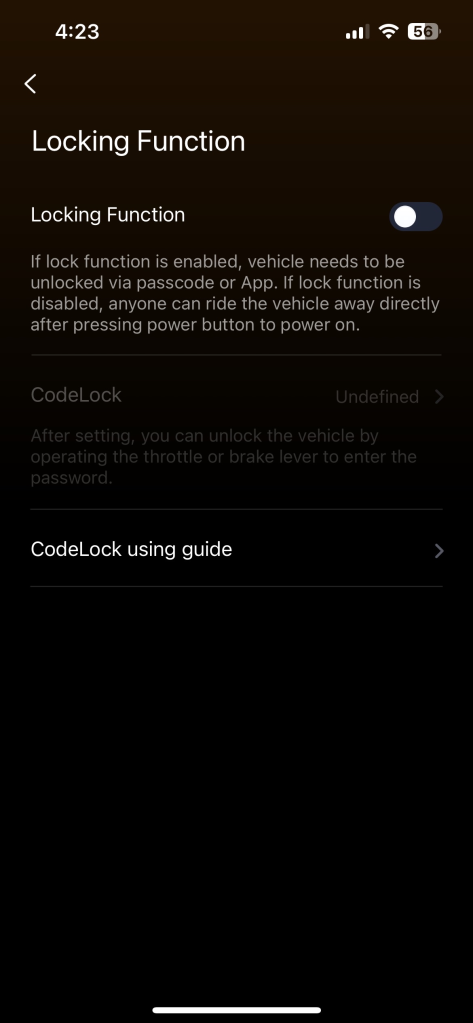
While there aren’t quite as advanced smart controls as other models, like auto-proximity locking, for instance, there are quite a few solid ones that definitely elevate this new model over past ones. While it’s not automatic, there is the app-controlled guard mode that locks or unlocks via Bluetooth and a press of the button on your smartphone, or you can set a passcode, too. There’s also a handy option to set starting speeds, which I greatly appreciate, with settings for it to kick on after hitting either 1.8, 2.4, or 3 MPH, with there sadly being no immediate start option.
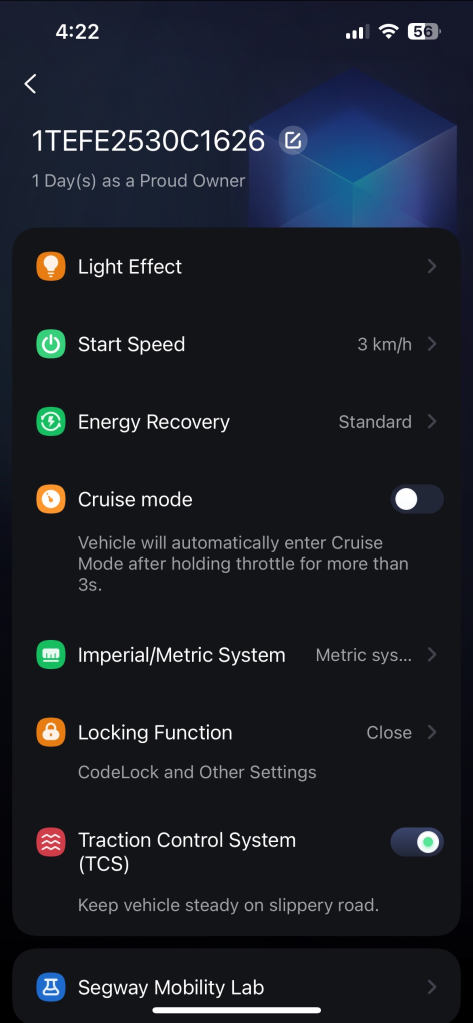
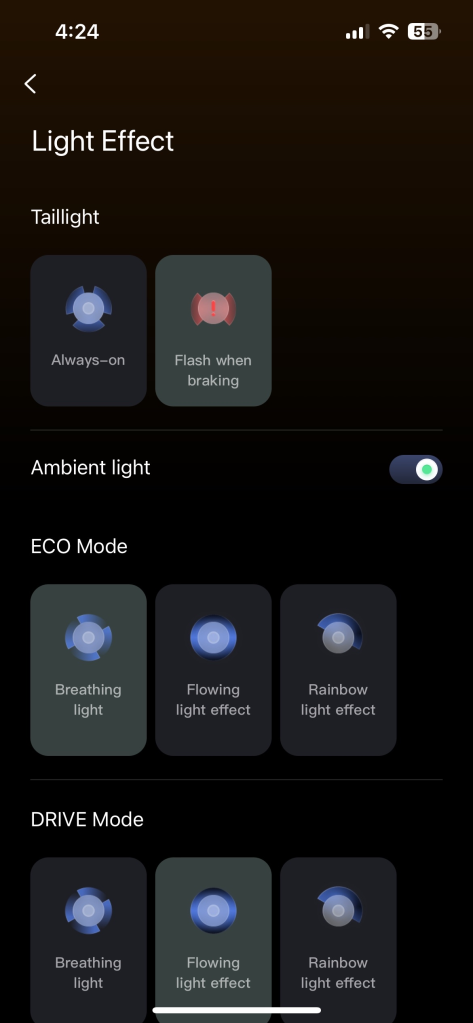
Of course there are others, like all the lighting effects you can choose from – with each mode having its own settings to lock-in – as well as the taillight settings of always having it on or flashing when engaging the brakes. As an urban rider regularly flanked by cars, the turn signals are also appreciated for the added safety they provide for me and motorists. There’s also a useful cruise control feature here, too, which locks at whatever speed you hold at for three seconds (and which can be turned off in the app), though this does bring up the concern I had trying to look down at the display while in motion. This feature is immediately deactivated upon touching the brakes or the throttle after it’s been initiated.
Final Thoughts on Segway’s E3 Pro
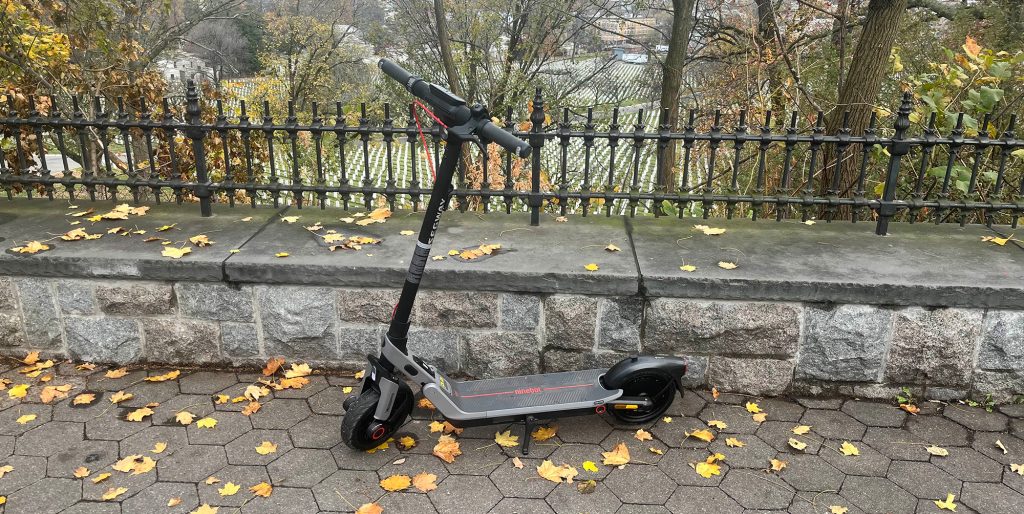
All-in-all, I’ve really been loving my time on Segway’s new E3 Pro Electric Scooter, as it’s a great option that could be argued/classified as an entry-level ride, though with the array of upgraded features and smart controls, it stands well above others from the brand that actually bring along entry-level basics. I do tend to want more speed as I travel, so I regularly keep it in Sport mode, which does drain the battery at the fastest rate, but I always bring along the charger in my bag to plug it in wherever I end up (unless I’m just making quick errand runs). I haven’t had any problem in that regard, but I’m sure without the charger, things could be more of a hassle.
For all you’re getting here, the pricing is about what I’d expect. It carries a $700 MSRP, but since its release, it’s been regularly keeping down at $599.99 shipped, which is where it’s currently priced during the brand’s Christmas Holiday Sale. You’re getting every bang for your buck here, as even $600 or the $500 rate we saw during Black Friday can be a lot to most people, but it’s Segway, and you’re getting a quality build with quality performance that should last you for years and years to come, giving you all your money’s worth.


FTC: We use income earning auto affiliate links. More.




Comments