

My wife and I recently moved into a new home, and it came with your standard, no-frills thermostat. In my case, A Honeywell Home ProSeries that has no wifi or smart features of any kind and is as boring-looking as you can get. It’s also not very intuitive, and programming it feels more tedious than it should.
Our previous home had an Ecobee thermostat that we really liked, but it was a much older (and now discontinued) model and not worth the trouble of removing and reinstalling at our new house. Knowing that we wanted another Ecobee, I thought it was be the perfect time to upgrade to Ecobee’s flagship model, the Smart Thermostat Premium.
There are countless reviews and videos out there championing the cost-savings benefits of Ecobee thermostats. While those selling points are nice, I will not be focusing on them in my review. Instead, I’ll be concentrating on the Premium Thermostat’s looks, smart features, and general ease of use.
Ecobee released the Ecobee Smart Thermostat Premium in 2022, and it hasn’t really changed since then. That said, I’m not sure it needs to. There are only so many things you can tweak or reinvent in a smart thermostat, and in this case, the old saying “if it ain’t broke, don’t fix it” feels especially appropriate.
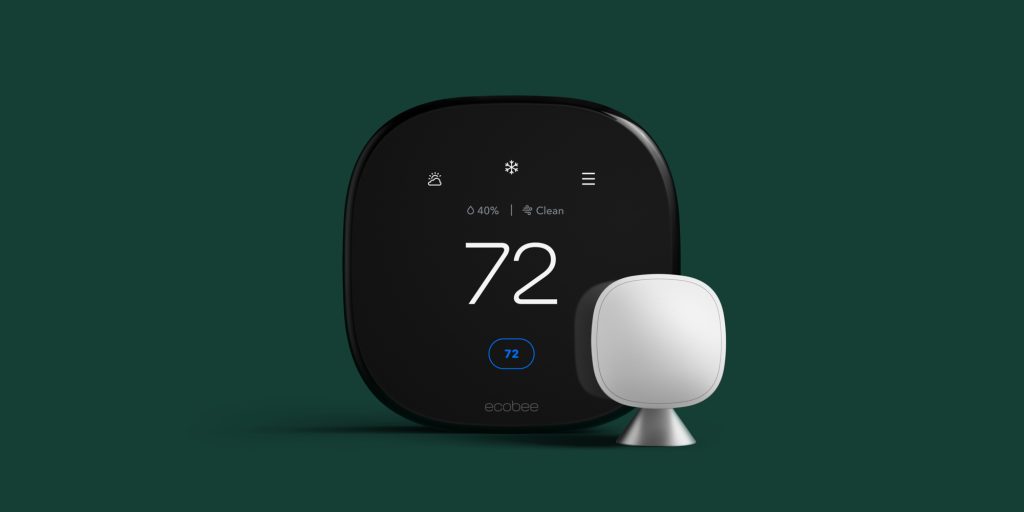
In the box, you get the thermostat itself along with one additional SmartSensor. While the thermostat can read temperature on its own, adding sensors in other rooms gives you a much more complete picture of what’s happening throughout your home. Extra SmartSensors are typically sold for $99 in a two-pack (Ecobee doesn’t sell them individually), so unless you need more than one SmartSensor, it actually makes more financial sense to buy the Premium upfront rather than purchasing the Enhanced model thermostat and adding sensors later.
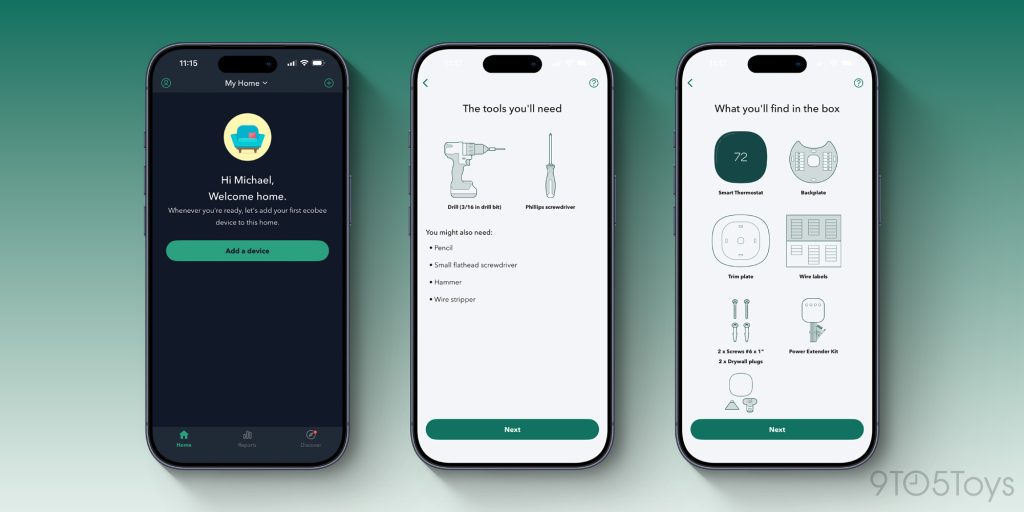
You can check your HVAC system’s compatibility on Ecobee’s website before buying a thermostat. Setup is very easy, and the app walks you through every step with simple, easy-to-follow instructions. You’ll need a Phillips screwdriver (and maybe a drill if you’re installing wall anchors), but the physical install itself is mostly just removing a few wires from your old thermostat and clipping them into place on the Ecobee (similar to speaker wire connections). From there, flip the power back on, answer a few quick questions about your HVAC system directly on the thermostat, and you’re good to go. That’s it!
Once the Premium Thermostat is up and running, everything can be controlled through the Ecobee app. One of my favorite features is being able to adjust temperature settings remotely from anywhere. I’ve even done this on Caribbean cruises in the winter, keeping the house set to a lower temperature while we were on vacation and then warming it up before we got home. It’s incredibly convenient.
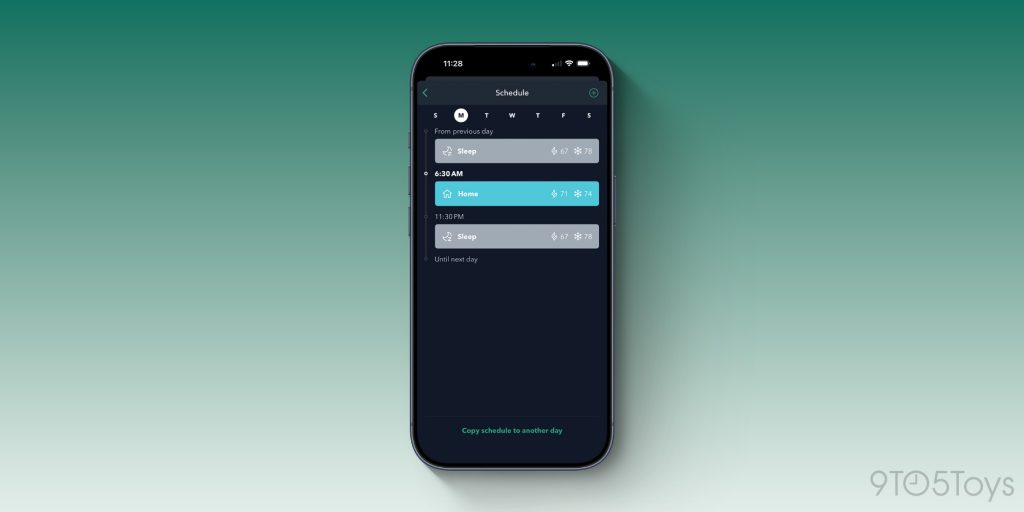
Scheduling in the Ecobee app is both simple and highly customizable. You can easily set one temperature for the early morning, change it again later in the day, and lower it at night—all with just a few taps. What I really like is that every day doesn’t have to follow the same pattern. For example, you can have the house warm up early on weekdays, but delay that warm-up on weekends when you’re more likely to sleep in. And if several days share the same routine, you can quickly copy one day’s schedule to another instead of starting from scratch each time.
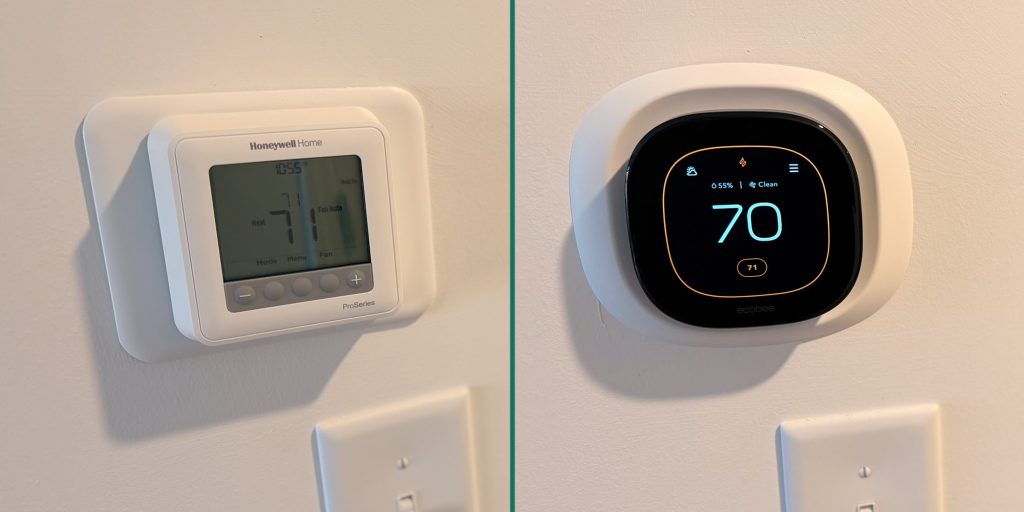
Once the Ecobee is installed, it immediately looks like a major upgrade over my old thermostat. The large screen makes the temperature easy to read at a glance, and the aluminum frame both looks and feels far more premium than the cheap plastic of the Honeywell. It’s the kind of device that actually looks like it belongs in a modern home rather than something you try to ignore on the wall. It’s arguably the best-looking thermostat out there.
Overall, the Ecobee Smart Thermostat Premium is a clear step up from a basic, no-frills thermostat. It’s not just about looks (though that was a big factor for me in choosing it). The combination of an intuitive app, flexible scheduling, remote temperature control (even from halfway across the world!), and optional SmartSensors to monitor multiple rooms makes managing home comfort effortless. For anyone looking for a thermostat that’s functional, easy to use, and visually appealing, the Ecobee Premium delivers.


FTC: We use income earning auto affiliate links. More.




Comments