
This offer has expired!
Be sure to follow us on Twitter for the latest deals and more. Sign-up for our newsletters and have our best offers delivered to your inbox daily.
macOS is polished right up until it refuses to do something that feels like it should take one click. Hide or show hidden files? Annoying. Force-delete something that won’t budge? Also annoying. Merge PDFs, batch-convert images, clear out oversized caches, or restart Finder without digging around? Same story. MacMagic is down to $25.50 with code SAVE15 (reg. $99.99), and it’ll help put a lot of those little Mac headaches in one place.
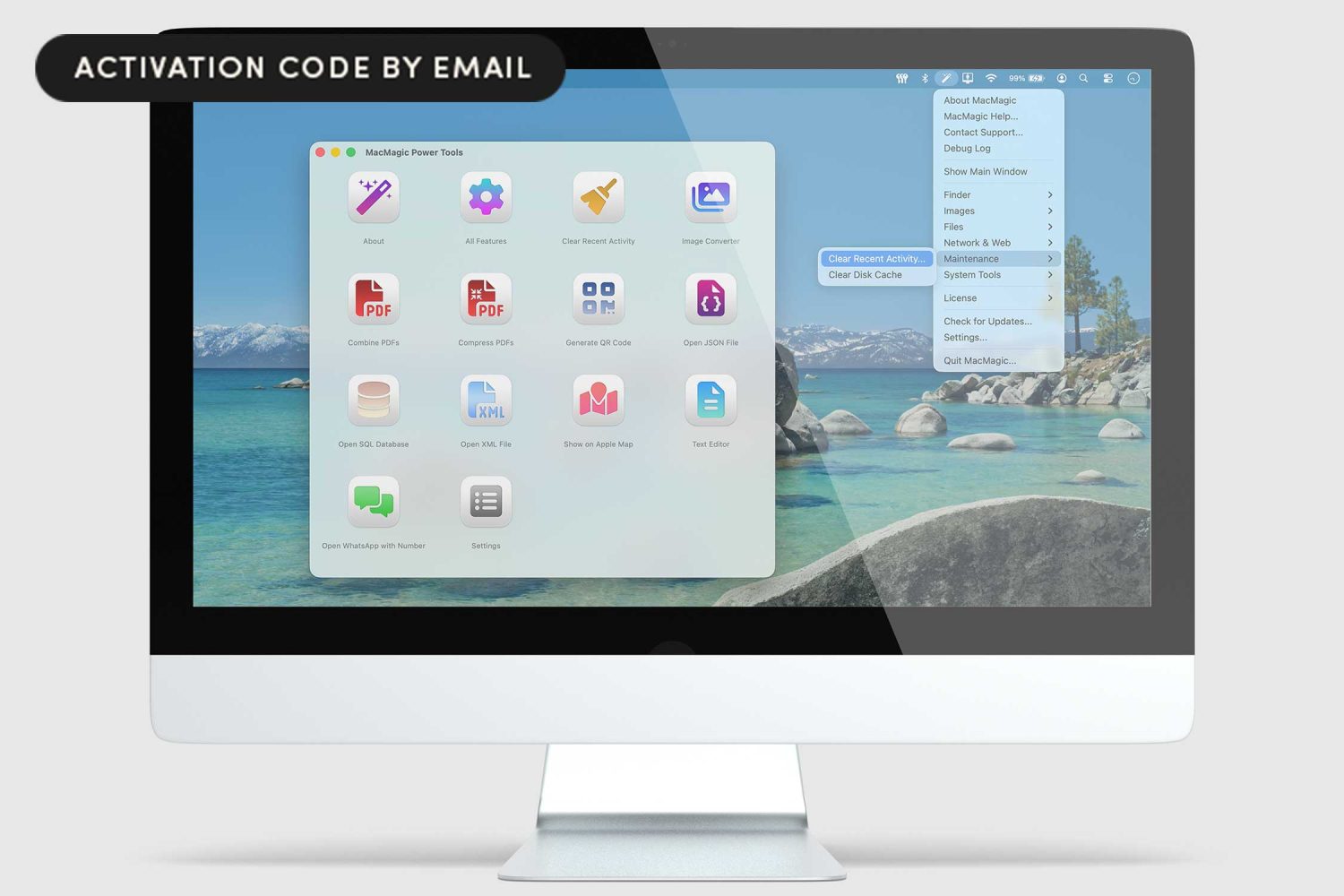
The app pulls together a pretty mixed bag of tools, but in a useful way. It can merge and compress PDFs, batch rename files, convert images across a long list of formats, generate QR codes, and surface a few macOS tools Apple tends to keep buried. It also includes a lightweight text editor and viewers for XML, JSON, and SQLite files, which gives it a little more range than the average one-trick utility.
All that variety comes in handy, even if it’s hacks that you don’t use all the time. Instead of one superior feature, it’s more about having a single place for all the random tasks that pop up when you use a Mac long enough. Some of them are file-related, some are system-related, and some are just the kind of odd little jobs that normally send you bouncing between Finder, Preview, Terminal, and a few separate apps.
The license works on up to five machines per year, which helps if there is more than one Mac in the house, and it includes lifetime upgrades. For $25.50 with code SAVE15, it feels like a handy little utility drawer for macOS rather than some oversized optimization suite.
Use code SAVE15 to get MacMagic for $25.50 (reg. $99.99).

MacMagic: Lifetime Upgrades License
StackSocial prices subject to change.


FTC: We use income earning auto affiliate links. More.


Comments