
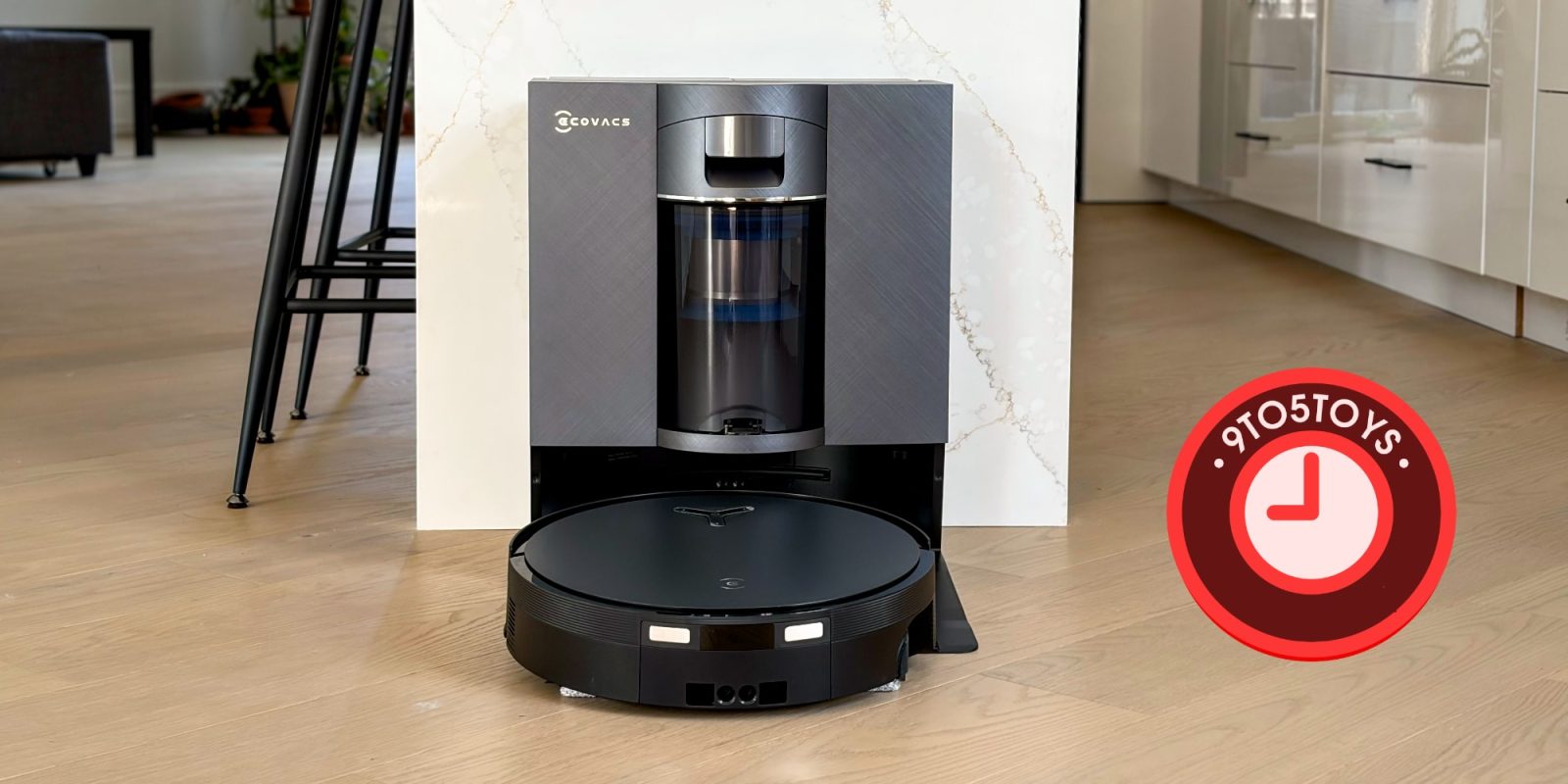
ECOVACS – one of my personal favorite robot cleaner brands – unleashed its new DEEBOT X12 OmniCyclone robot vac and mop system this year, and I have now had a chance to put it to the test. I have, generally speaking, come away quite impressed once again, with a few minor grips on the dust bin design and new stain removing prowess, and I’m not sure it’s worth the upgrade for folks with a relatively modern solution already, but I think this is a vacuum worth consideration for just about anyone looking to get into the flagship robot cleaning space – it is also $250 off right now.
Review: ECOVACS DEEBOT X12 OmniCyclone robot vac and mop
ECOVACS DEEBOT X12 OmniCyclone $1,250 (Reg. $1500)
Features at a glance:
- FocusJet™ Stain Pre-dissolving Technology
- OZMO™ ROLLER 3.0 Mopping System
- PowerBoost Plus Charging
- TruEdge™ 3.0 Extreme Edge Cleaning
- TruEdge 3D Edge Sensor 2.0
- ZeroTangle™ 4.0 Airflow-directed Anti-tangle Technology
- 22,000Pa Suction Power
- BLAST™ Advanced Airflow System
- AIVI 3D 4.0 Omni-Approach Technology
- Embedded Laser LiDAR Navigation
- TruePass Adaptive 4-Wheel-Drive Climbing System
- AGENT YIKO 2.0 AI Voice Assistant
- AI Scheduled Cleaning Mode
- PureCyclone™ 2.0 Bagless Auto-empty Technology
Most of the process, in terms of setting things up, readying the OMNI station, mapping out your space, and getting your first cleaning started is a familiar one for anyone who has used a robot vacuum in the last few years. And if you haven’t, the app and onboard YIKO assistant walk you through the process – ECOVACS has largely always been pretty good about this.
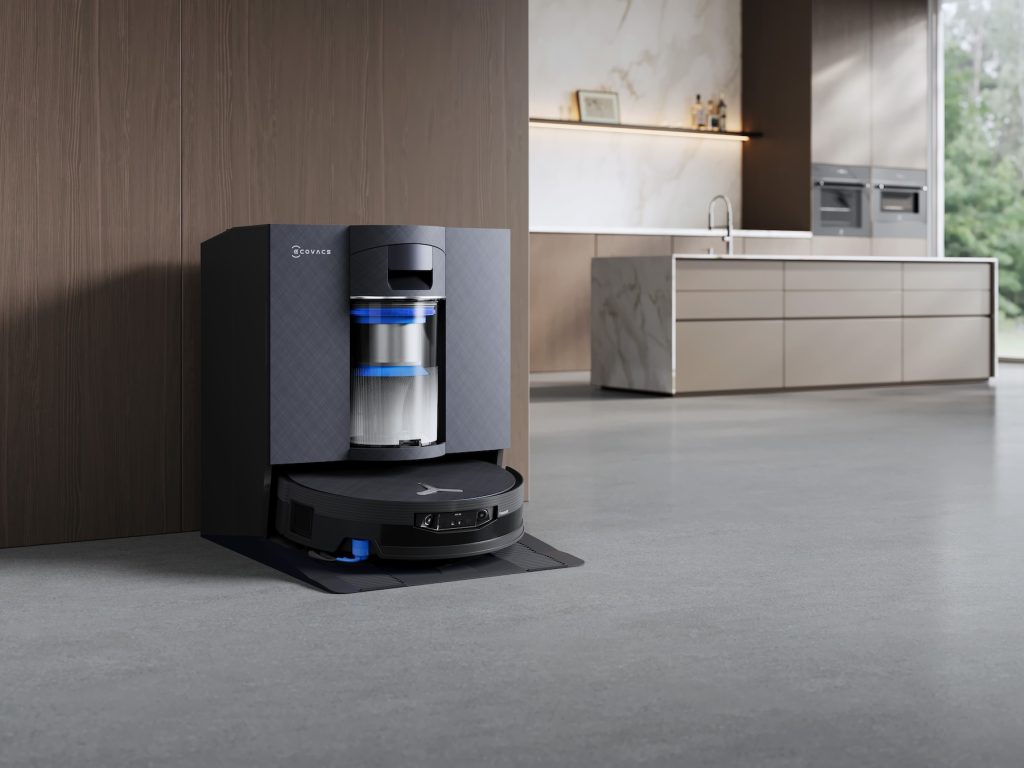
Mapping
I have tested out a few of these vacuums in recent years, and they can largely get the job done even without the mapping process, but they, and specifically the X12 we have here today, are more efficient and able to deliver a smarter and more organized home cleaning bot experience with the mapping.
Fortunately, it’s quick, easy, and intelligently done without much more than you quickly preparing the space with as little cutter on the floor as possible, hitting one button, and waiting 5 to 15 minutes for the little bot to wander around and get familiar with its new home. Once it’s done, it returns to the OMNI Station charging dock and is ready for its first cleaning job.
You can, much like with previously-released models, manually add some detail to the map the bot creates and presents to you on the companion app. It, generally speaking, nails it on its own anyway – it automatically detected the entryway floor mat, for example, but you can manually help it out after the auto map has been created. Again, you don’t actually have to do anything else, but I do like to add a few customizations just to enhance the user experience.
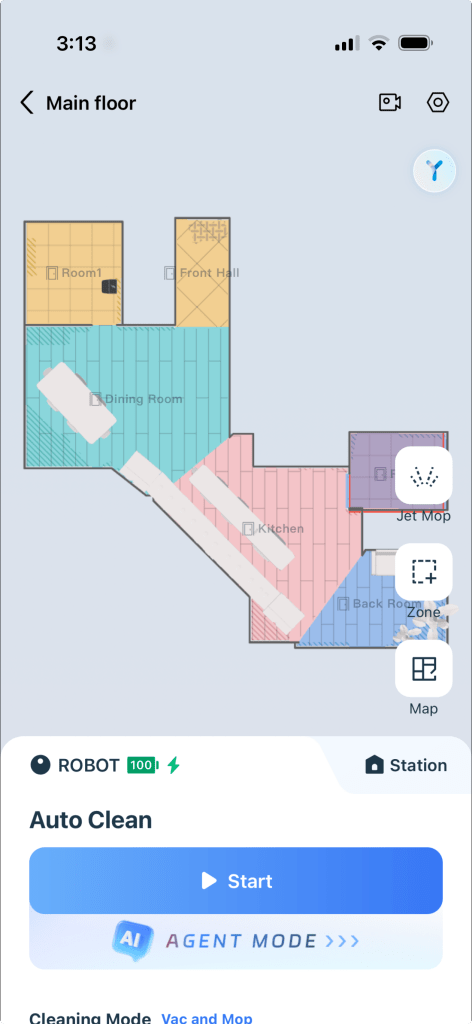
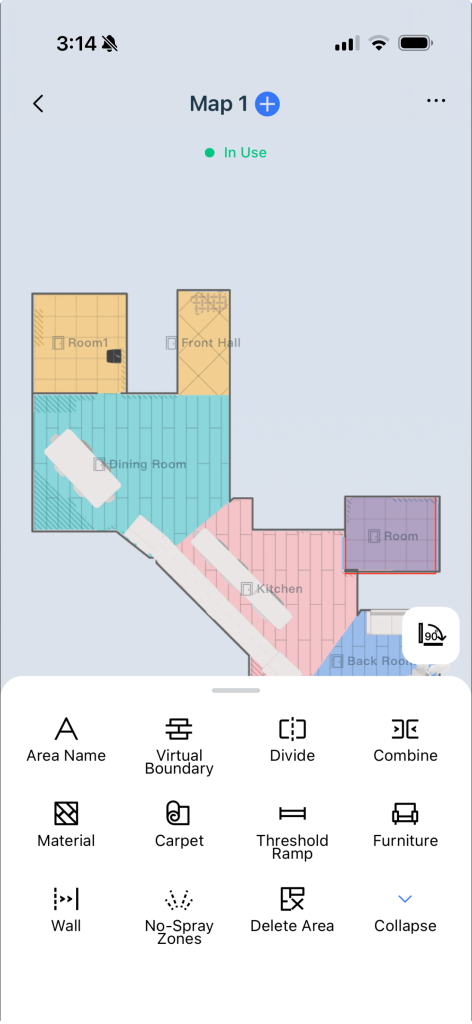
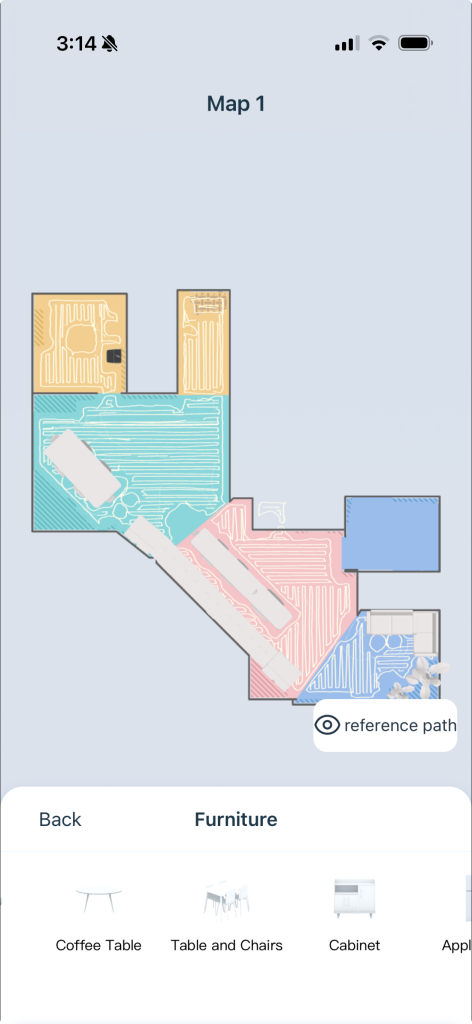
For example, I wanted to make sure the bot didn’t get into trouble with some of the plants with spines, and stems, and leaves that dangle down close to the floor, so I added quick little no-go boundary zone around that area – to be fair, I didn’t need to do this as the bot already got up as close as I wanted it to without trying to suction up by house flora anyway, but it does add a bit of peace of mind when DEEBOT goes to work while we are out of the house.
Another example of the map customizations I like to do is change the names of the rooms. DEEBOT will name the rooms for you to some degree, but it largely depends on the stuff you have in these spaces and how traditional your layout is. The layout of my space is angular and very much not traditional, and almost a completely open-concept. So while it accurately detected the large main space, entry way, a small front room where its OMNI Station resides, and a small back space, despite there only being a single one of them with a dividing wall, I had to drop a fridge and countertop element down in the open-concept kitchen area before it recognized these four spaces as Kitchen, Front Hall, Dining Room, and so forth.
All of that said, I, and I think most folks, might want to call some of their rooms something particular anyway, so you can quickly do this after the auto mapping process anyway. This way you can trigger targeted cleaning job via voice commands or through the app – ask the onboard YIKO assistant to “vacuum the kitchen” or just tap the room you want on the map and hit start.
You can tell DEEBOT where carpets are, which material a floor is, adjust the room divisions, add furniture, and all of the usual no-go zones, no-spray zones, and more. It all works really well in my testing with the X12, which again comes as no surprise as this stuff has always worked really well for me on previous ECOVACS releases.
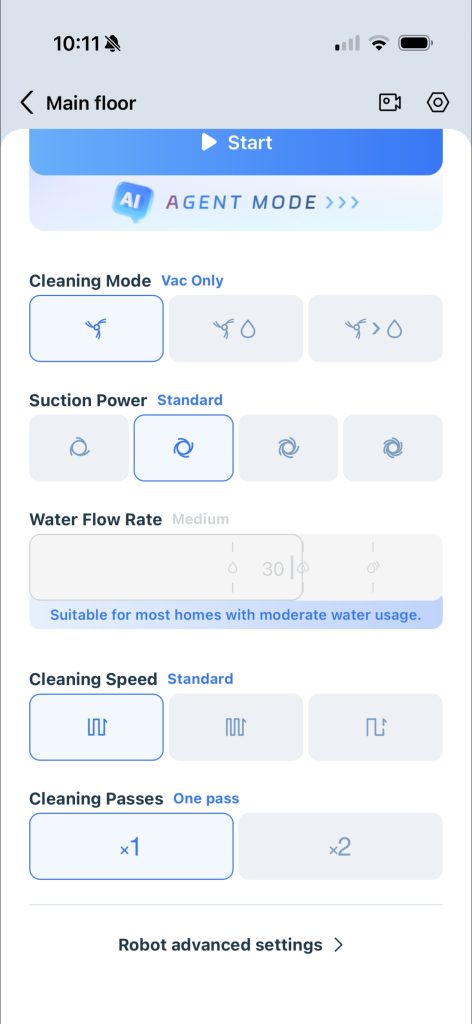
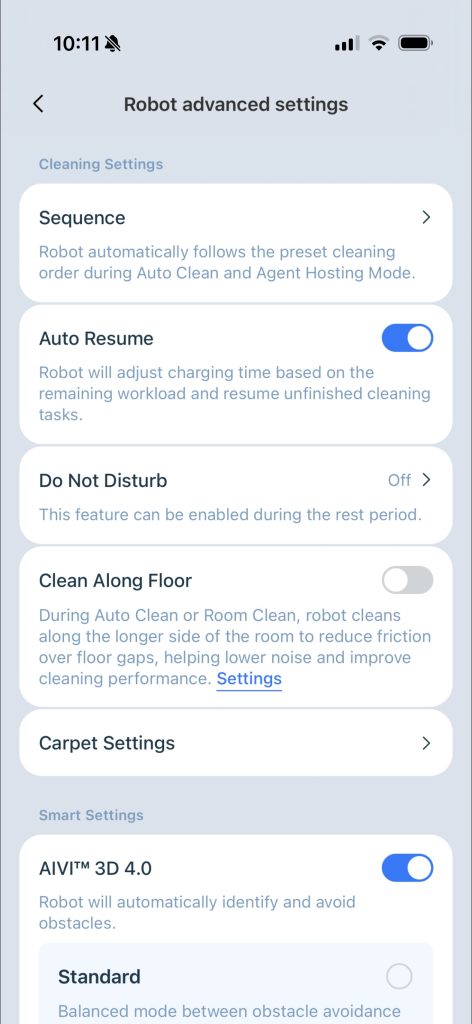
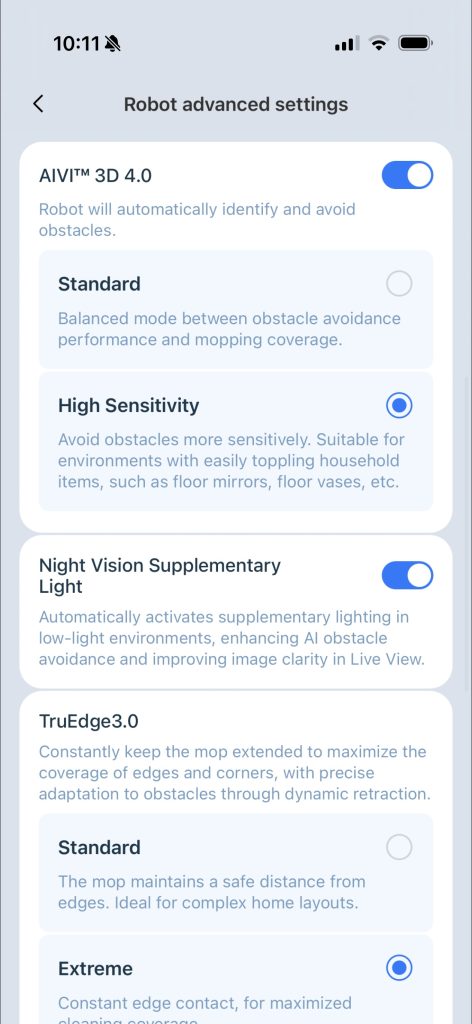
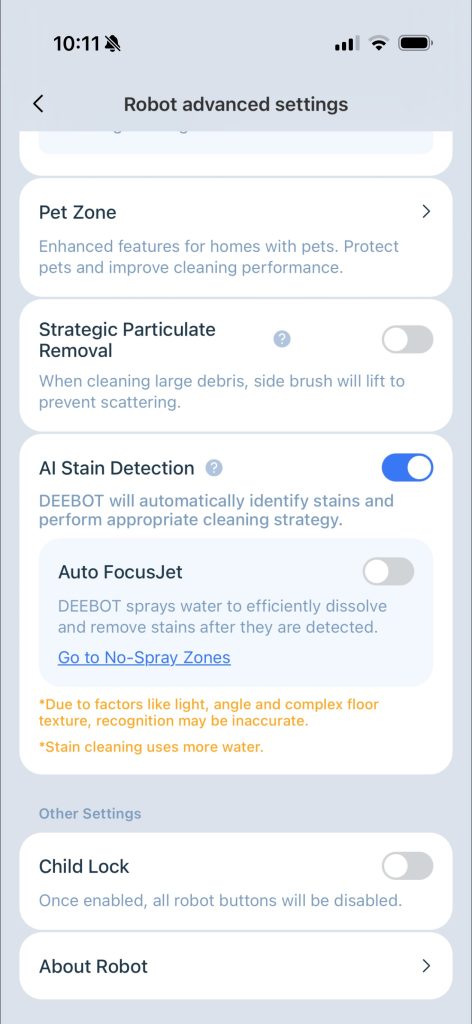
A quick look at some of the settings, and advanced options from within the ECOVACS app
General Navigation
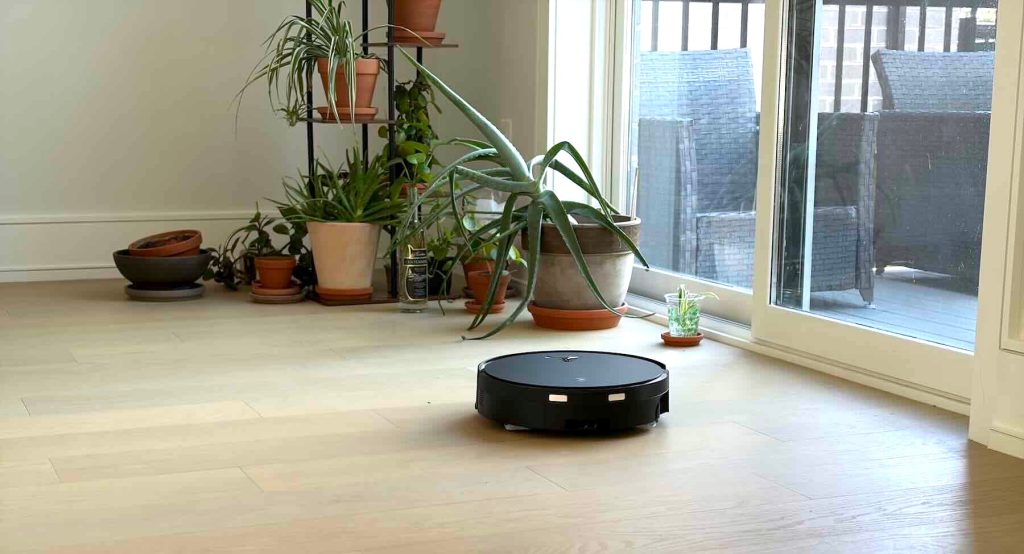
As far as the bot’s ability to navigate my space, I have been mostly impressed. Even after ensuring the floors were entirely free of random bits and, more or less, in its natural state for the mapping process, the bot can easily handle some new additions to the floor plan while cleaning, be it a box of stuff temporarily in its way or a pair of slippers, some shoes by the door…this sort of thing.
It is entirely capable of efficiently and elegantly hitting every square inch of the floor surface (its form-factor will allow it to get to of course) no matter what you might have left on it, temporarily or otherwise. This is perhaps not much of surprise considering ECOVACS bots in this price range have been successfully managing this for more than a few years, but this one hasn’t run into any trouble at all – no errors, no knocking over a very small cup of water we are temporarily nurturing a small plant in that was placed on the floor near the glass door right before a scheduled vacuum job, no catching some of the overhanging spines and leaves from plants dangling on the floor, not getting hung up on some of the odd corners and edges around the perimeter of the main space. Just solid, reliable getting the job done here.
Mopping
I am perhaps not the best person to be testing out the FocusJet Stain Pre-dissolving Technology on the mop side of things – just a very light mop on the wood and hard surface floors once per week is more than enough for me. I don’t have any pet messes to worry about, or mud getting traipsed onto the floors, but there were some of those sort of stepped on spills and light stains left on the ground during my recent move – you know the sort you would have to bend over and give a light scrubbing with a rag to get out – and the mopping action made short work of them.
ECOVACS highly recommends only using its cleaners in the mop, not unlike other brands, and I don’t love this. I have in the past mustered up the courage to just simply drop a touch of store-bought cleaner into previous-gen systems, and it seemed to work fine, but the brand really doesn’t want you to do this and it makes be afraid that it might damage the unit over time. I do not like that I’m forced to buy its cleaning solutions just to use the mopping function, and for this reason, I will likely stick with the water only option and just occasionally use the provided cleaners.
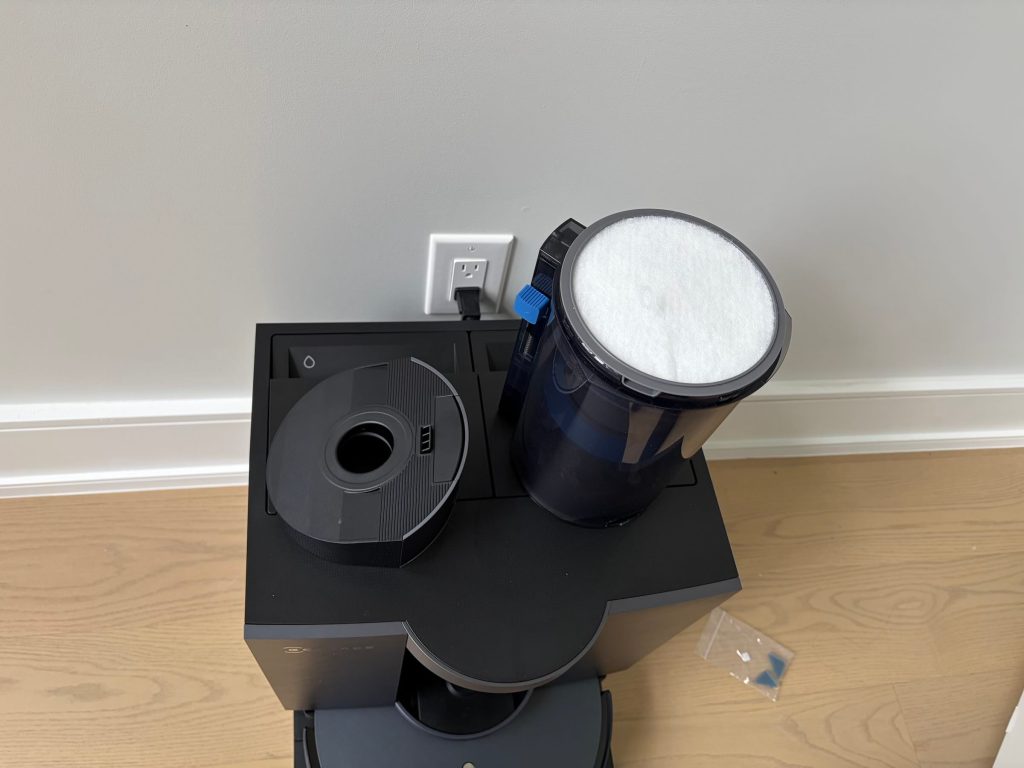
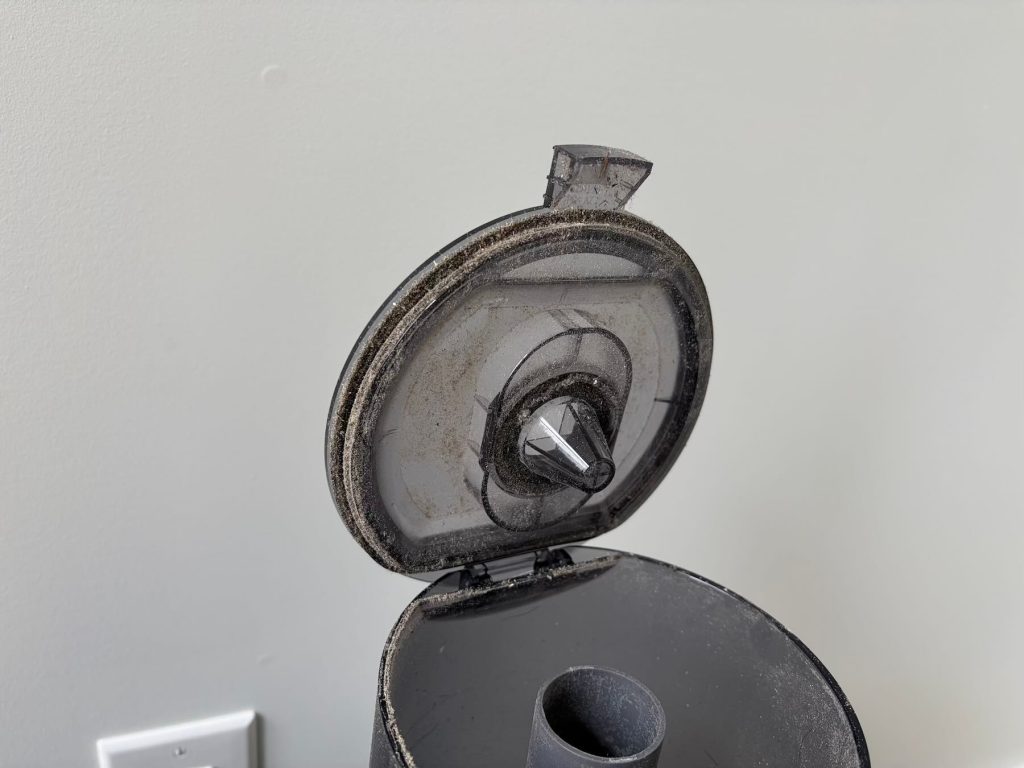
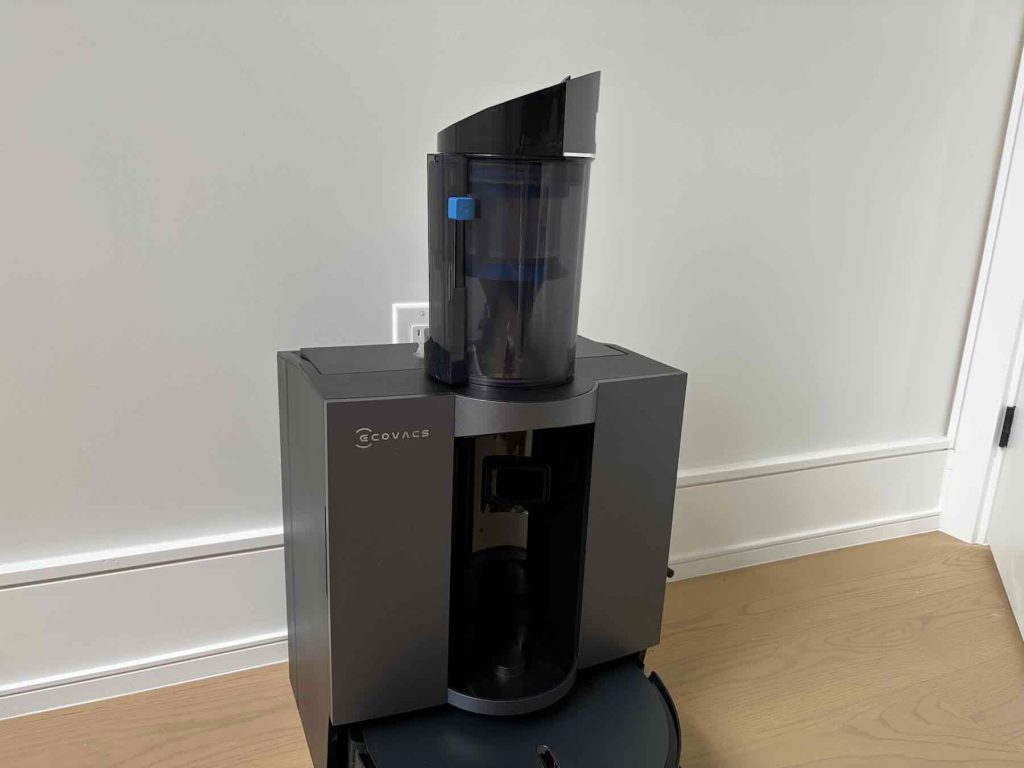
The internal dustbin works really well and the mechanisms make it simple to empty, however a significant amount of dust and debris gets stuck to the inner gasket on the lid. This must be thoroughly cleaned manually after just about every empty if you ask me and it’s hard to really get in there without some kind of small vacuum.
YIKO
ECOVACS, as you perhaps, already know, has been deploying its own virtual assistant inside its cleaning bots. It works just fine – you can ask it to start a cleaning job, go back to its home to charge up, clean a specific room on-demand, or even target certain areas near a specific piece of furniture once you have tidied up the map. It’s all pretty handy, but YIKO, its ears, eyes, and mouth are on the bot itself, not the app. In other words, I can’t hear anything it is saying if I’m too far away, in another room with the door closed, or downstairs, and YIKO can’t hear me either. But there are perhaps some more advanced smart home setups you can get going to workaround this.
In the end, and all told, this is a solid robot cleaning solution with only a few minor gripes getting in the way of my ideal expectations. ECOVACS products have always landed atop my list of recommendations and this is among the best models I have used yet. It leaves the floors completely clean and free of dust, once the mapping process is complete I don’t have to worry about pre-cleaning the house just to have the bot I just paid a ton for do what it’s supposed to, and the entire setup process is largely painless. The ECOVACS mapping process has been one of the best I have used and it still is, despite the fact that some of the odd corners and shapes in my current home forced a little bit more manual intervention as far as customizing the auto-generated map.
I’m not 100% sure the new stain removing tech is worth the price though. I, basically, never have thick, dried in stains on my floor to even need this sort of thing, but maybe some folks do. The vacuum prowess and mopping action is equally as good for my uses on previous-generation models you can get for much less than the list price on the new X12. I certainly like the idea of having a new, current-generation machine when it comes to tech, but, if you’re anything like me, one of the older, discounted models like the ECOVACS X8 for $800 will likely suffice and for a lot less coin.
The X12 is a great robot cleaner, and I have not experienced some of the dust drop when it drives over inclines or bumps on the floor plan, or when navigating the small ramp in front of the OMNI station like some users have, and it is likely a solid option for folks who really value the floor stain cleaning action. While you probably don’t need to upgrade from the older X8 or newer here (unless it’s broken), just about anyone who does opt for the X12 will almost certainly be happy with it, and you can land a solid $250 off right now too.
Buy the ECOVACS DEEBOT X12 OmniCyclone Robot Vacuum and Mop


FTC: We use income earning auto affiliate links. More.




Comments