
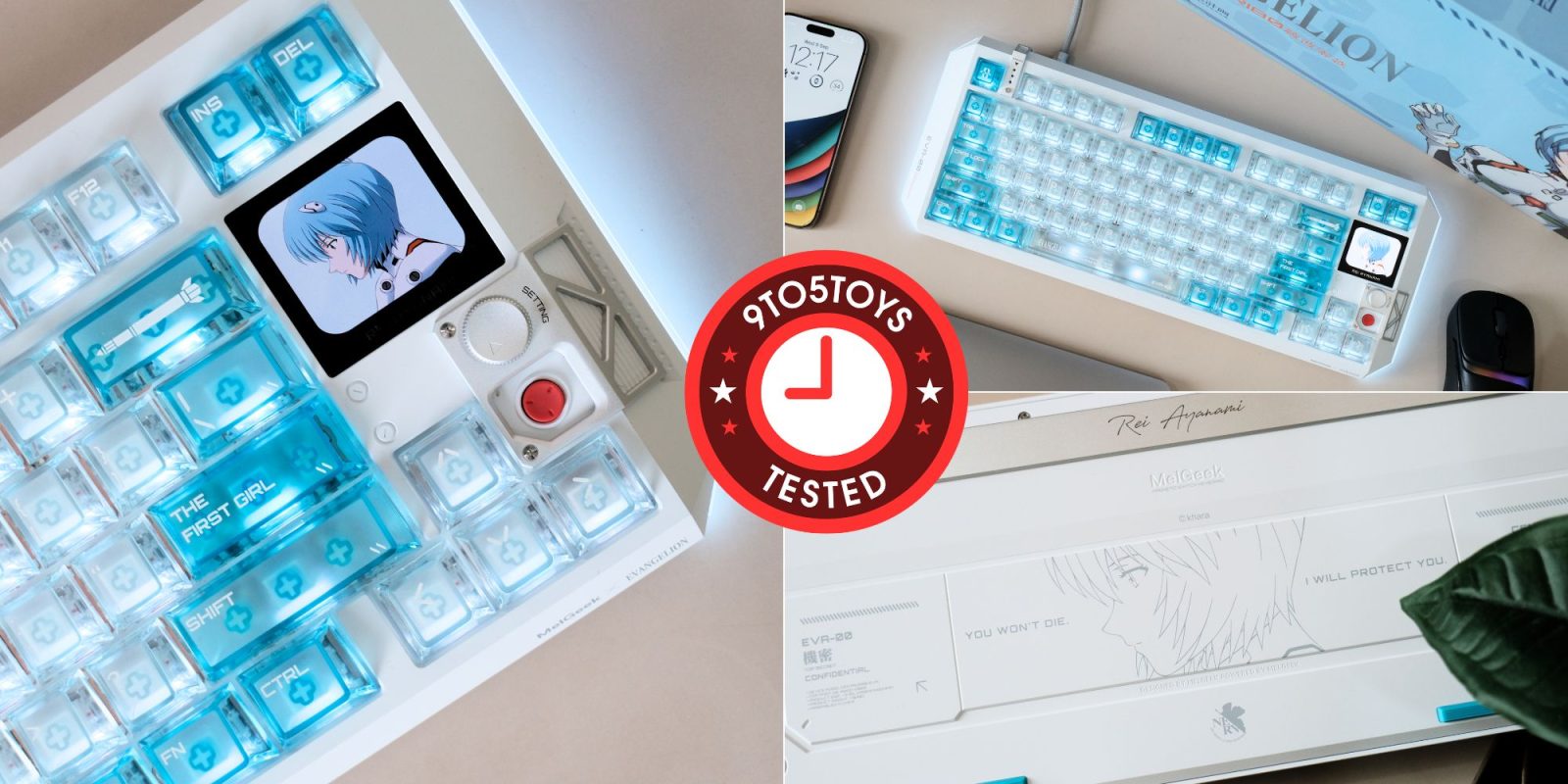
The MelGeek Centauri80 Rei Edition is the kind of keyboard that immediately grabs your attention before you even get to its day-to-day user experience and Hall effect features. This officially licensed Evangelion collaboration is built around Rei Ayanami and EVA-00, with themed detailing across the aluminum chassis, transparent keycaps, engravings, lighting, and even the OLED touchscreen. It’s also every bit as premium as it looks, carrying a hefty $459 price tag. Beyond the design, you’re getting gasket mounting, 8,000Hz polling, 0.01mm Rapid Trigger, magnetic switches, and a dedicated OLED touchscreen in the top-right corner. There are obviously much cheaper ways to get the Hall Effect performance, but the Centauri80 Rei Edition is clearly aimed at someone who wants the keyboard itself to be a centerpiece of the battlestation. I’ve been using it as my main board for the past few weeks, and here’s how it’s been holding up.
You’re reading Tested with 9to5Toys, where we explore everyday tech essentials that make life a bit easier. Browse through our entire guide for all of the latest reviews, and sound off in the comments below if there’s something you’d like to see featured.
Hands on with MelGeek’s Centauri80 Rei Edition
MelGeek currently has the Centauri80 Rei Edition priced at $459 shipped, and this is a limited-production model with no planned restock once the current run ships in October and sells out. You can use our promo code 9TO5EVA to save $20 and make it touch easier on your wallet. The company is also individually serializing each unit, which tells you pretty quickly what kind of product this is meant to be. This isn’t really trying to compete with a $100 magnetic keyboard like the EPOMAKER G84 HE and others we’ve covered recently, and it sits somewhere between a high-end gaming keyboard and a proper Evangelion collectible.
There’s also a Centauri60 Asuka Edition in the same collaboration, but the Rei model highlighted here uses a larger 80% layout with a full function row, dedicated arrow keys, and the OLED touchscreen.
Features at a glance
- Hall Effect magnetic switches
- 8,000Hz polling
- 0.01mm Rapid Trigger
- Full aluminum construction
- 1.78-inch OLED touchscreen
- 83-key TKL-style layout
- South-facing RGB
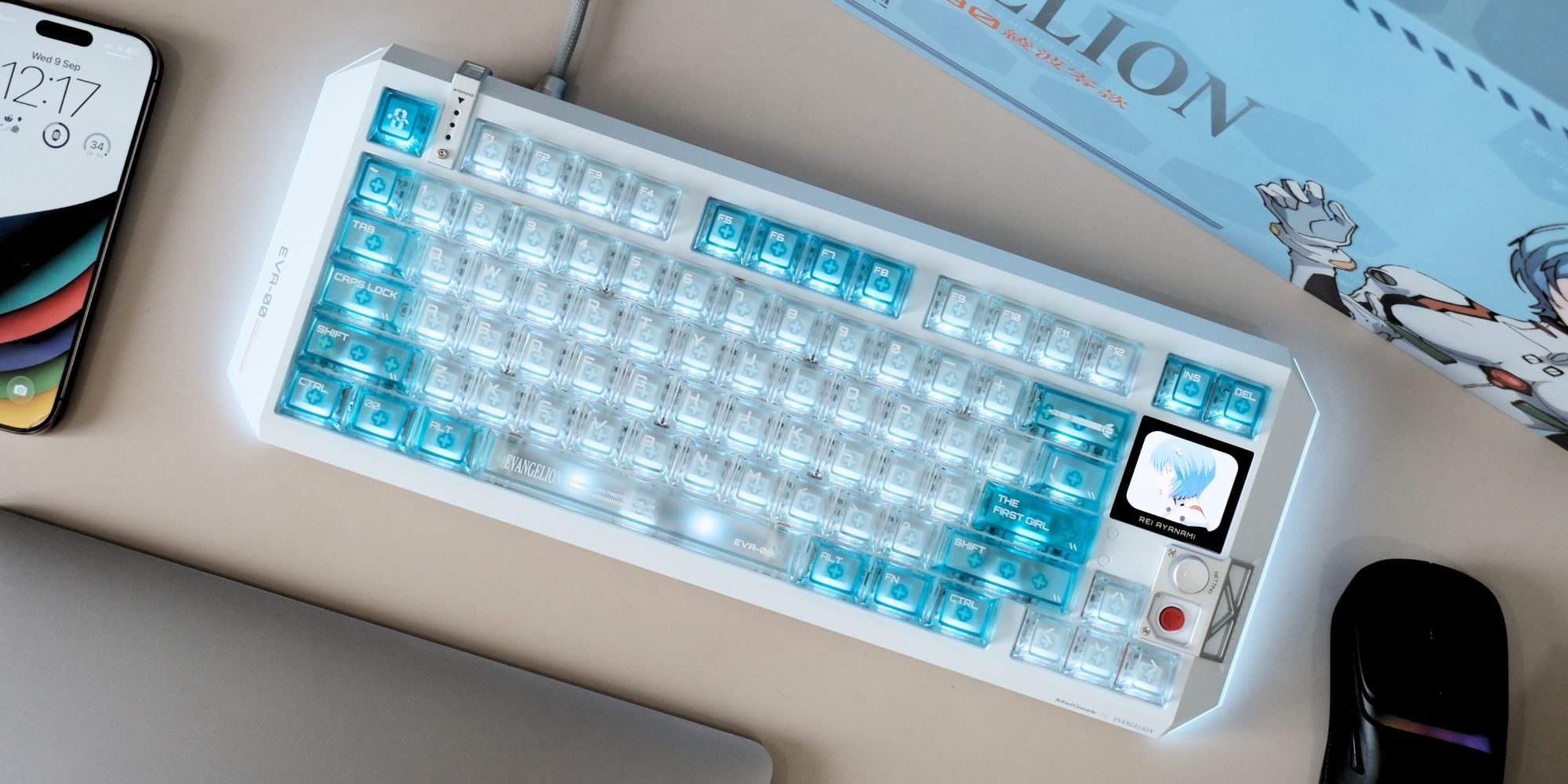
9to5Toys’ Take
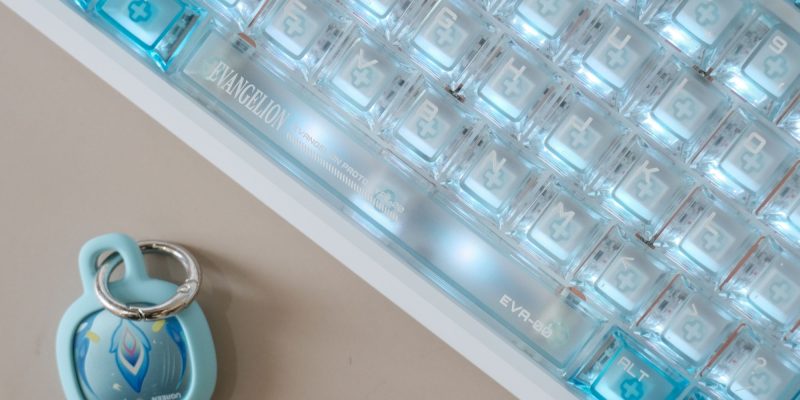
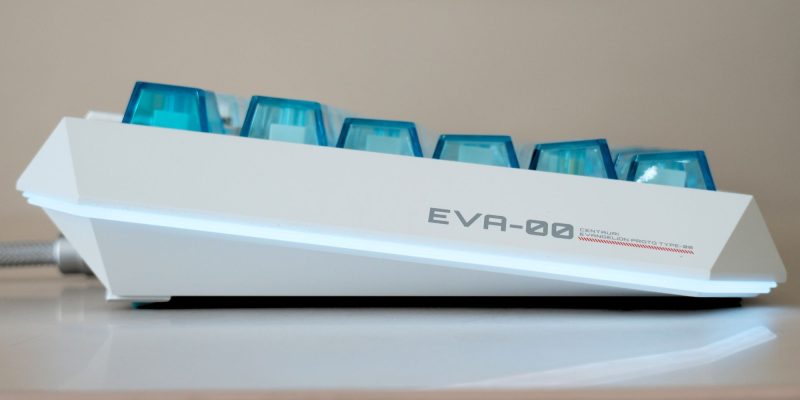
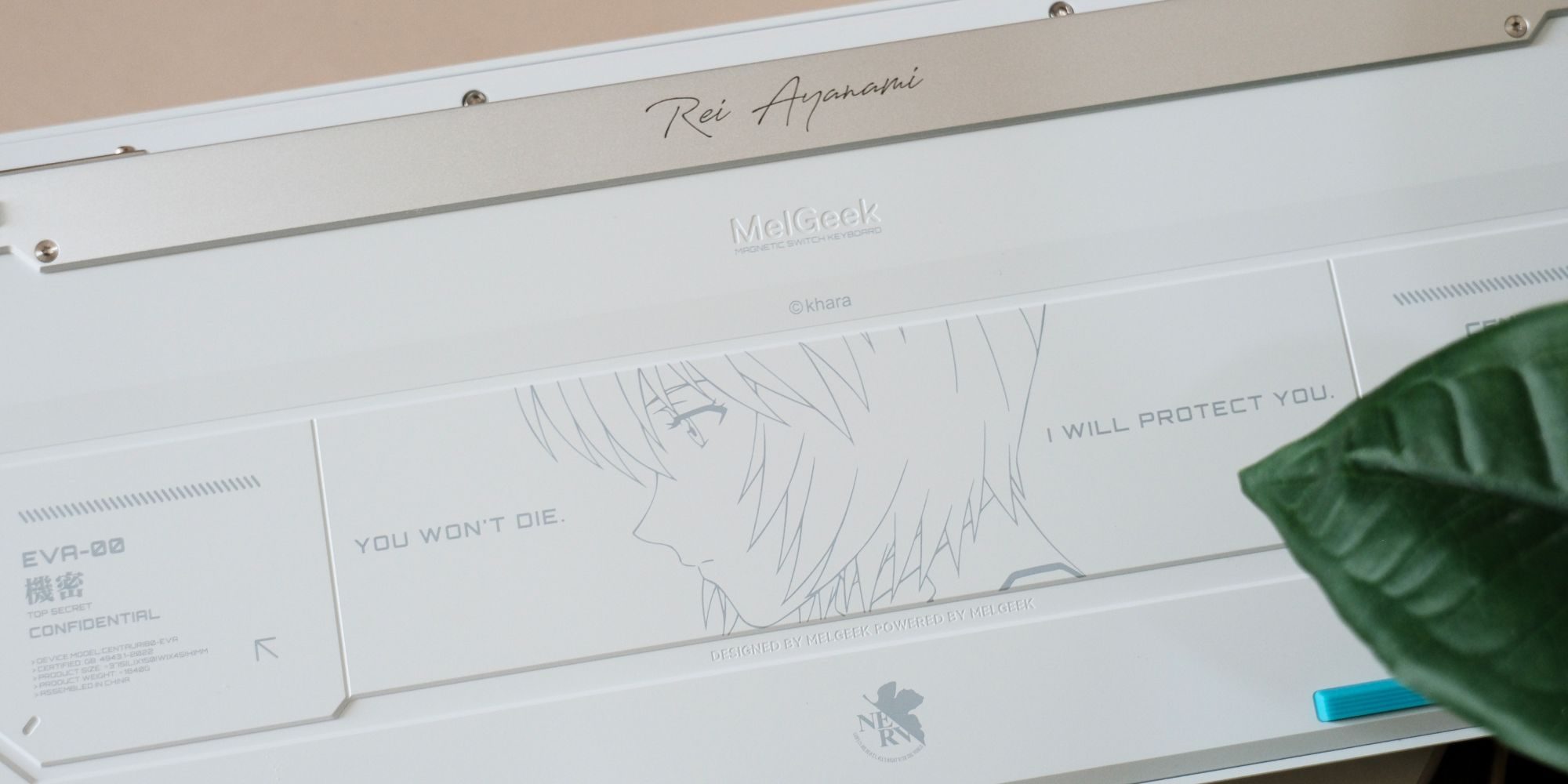
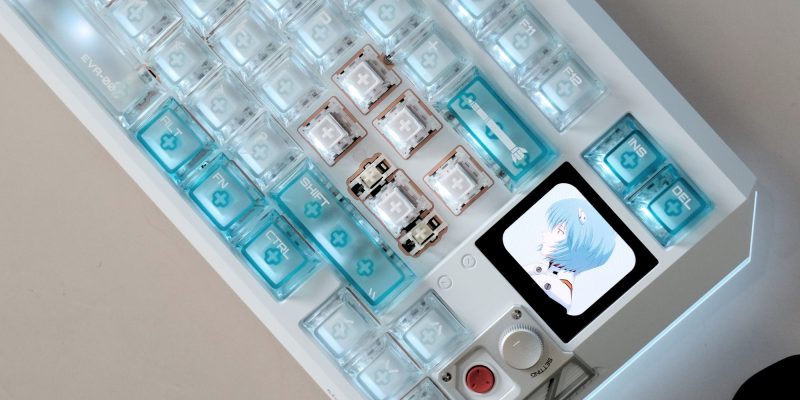
The first thing that stands out about the Centauri80 Rei Edition is obviously the design. MelGeek has leaned hard into the EVA-00 theme here, but it doesn’t feel like the company simply took a blue keyboard and slapped some anime artwork onto it. The chassis uses a pale blue-gray and white finish, along with transparent PC keycaps that carry dedicated EVA graphics and typography throughout the layout. There’s an EVA-00 insignia laser-etched into the side, a Rei identity plate built into the frame, and even a large engraving underneath the board with the line “You Won’t Die. I Will Protect You.”
It’s the kind of detailing that makes sense at this price. At $459, a themed colorway alone wouldn’t be enough, and there’s a clear effort here to make the collaboration visible from just about every angle. It’s honestly comparable to some other premium custom keyboards I have in my collection from the likes of SingaKBD, MATRIX, and so on.
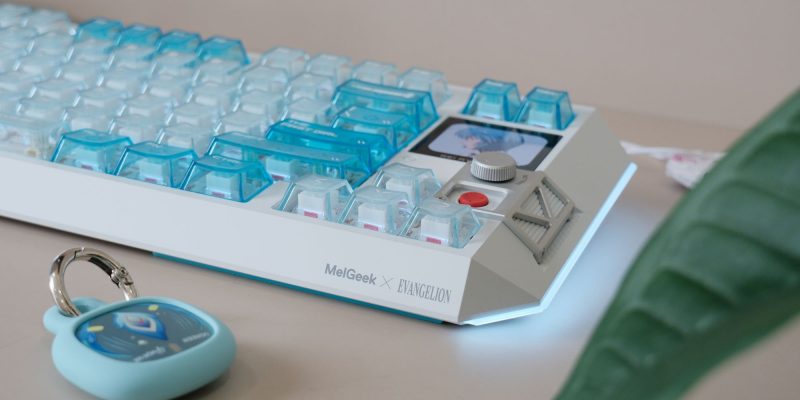
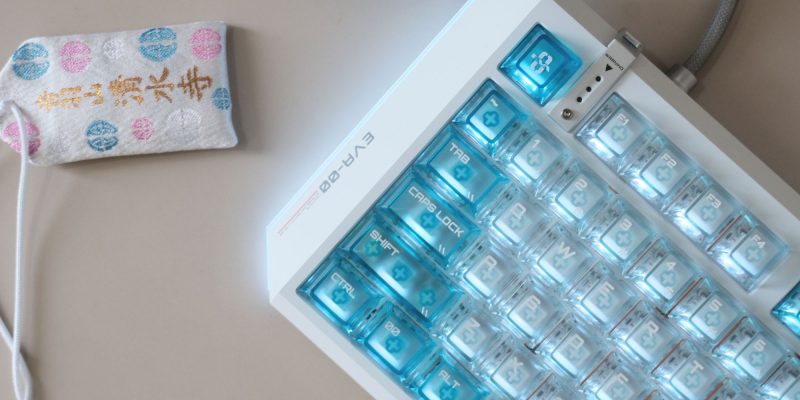
The aluminum construction helps with that premium feel too. The Centauri80 uses a full CNC aluminum chassis with an FR4 plate and what MelGeek calls a tinned spring gasket mount. There are also five separate layers of internal dampening material, including plate foam, an IXPE switch pad, bottom foam, acoustic wrapping foam, and a PET bottom film. That’s a lot of effort going into the acoustics for what is technically a gaming keyboard, and it helps separate this from the cheaper Hall Effect boards that focus almost entirely on response times and software features.
The 1.78-inch OLED touchscreen is easily one of the more interesting features here outside of the Evangelion design itself. It sits in the upper-right corner next to the control knob and has a 368 x 448 resolution, 325 PPI, 60Hz refresh rate, and 1ms touch response. MelGeek has also given it a dedicated processor, so it can handle things like Rapid Trigger settings, lighting, and macros without interfering with the keyboard’s input processing. I honestly wasn’t expecting the display to be this good, especially since screens on keyboards are often low-res additions that feel like they’re there just for the sake of it. This one actually looks sharp and feels useful.
It also supports custom JPG, PNG, and GIF files through MelGeek Hive web interface, and the Rei Edition comes with themed artwork preloaded. That mix of customization and actual controls makes the display feel far more useful than the usual tiny screen showing a logo or system stat.
Underneath all the Evangelion styling, the Centauri80 is still a serious Hall Effect gaming keyboard. The Flip King Magnetic White switches use magnetic sensing rather than traditional metal contacts, which lets you adjust actuation much more precisely than you can on a regular mechanical switch. You also get 0.01mm Rapid Trigger support, which allows keys to reset as soon as you begin lifting them rather than waiting for them to travel back through a fixed reset point. That can make a noticeable difference in games where you’re rapidly changing direction or repeatedly tapping the same movement key. It’s the same core appeal we’ve seen from other Hall Effect boards over the last couple of years, only taken to a much more premium level here.
MelGeek has also gone with a 1 + 5 multi-MCU setup, essentially splitting the keyboard into multiple processing zones instead of asking a single controller to handle everything. Combine that with the 8,000Hz polling rate, and this is clearly built for extremely low input latency. As with most magnetic keyboards, though, I wouldn’t immediately crank the actuation point down as far as it goes. In my experience with other Hall Effect boards, going too sensitive can make normal typing much more frustrating, with accidental inputs becoming a lot easier to trigger. I’ve experienced that already while using this board, so dialing it in to your own preference is more useful than simply chasing the smallest possible number.
Another thing I like on paper here is that MelGeek doesn’t require a traditional desktop application running in the background. The Hive Web Driver works through a browser, and once you’ve configured things like Rapid Trigger, key mappings, lighting, or macros, those settings are saved to the keyboard’s onboard memory. That means you can set the board up once and then forget about the software if you want. It also makes the keyboard easier to move between Windows, macOS, and Linux machines without installing a separate utility on each one.
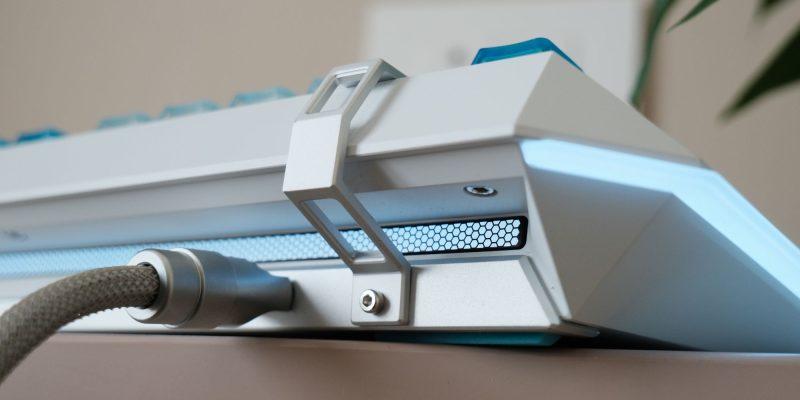
The one obvious limitation is connectivity: this is a wired-only keyboard. There’s no Bluetooth or 2.4GHz mode here. MelGeek is clearly prioritizing stable power and maximum performance over convenience, which makes sense for gamers, but it’s still worth calling out when you’re spending $459.
It is true that you can get a very capable Hall Effect gaming keyboard with Rapid Trigger and an 8K polling rate for a fraction of the price. In fact, I’ve used sub-$100 boards that already check most of those boxes, and you don’t need to spend anywhere close to $459 just to get magnetic switches. But that’s not really what this keyboard is selling. You’re essentially paying for the full aluminum construction, gasket mounting, layered acoustic treatment, OLED touchscreen, and an elaborate EVA-00 detailing, to name a few. Not to mention, this also a limited production run, which makes it a worthy addition to collectors.
The Centauri80 Rei Edition is honestly a lot easier to recommend if you’re already an Evangelion fan and want something that can serve as both a serious gaming keyboard and the centerpiece of your battlestation. It’s excessive, expensive, and completely unnecessary — but that’s also kind of the point of peripherals like these. At $459, this isn’t the Hall Effect keyboard I’d tell everyone to buy. It is, however, one of the most elaborate and distinctive magnetic gaming keyboards I’ve come across, and there’s clearly a lot more going on here than a simple licensed colorway.


FTC: We use income earning auto affiliate links. More.





Comments