
 From $59
Half of the point of the Nintendo Switch 2 is to use it on the go, but you certainly want a case to do that. The dbrand Killswitch is, in many ways, the best Nintendo Switch 2 case I could ask for, but it does have one big flaw.
The Killswitch is not a “new” product for dbrand, with the case having gotten its start on the Steam Deck and since expanding to many other gaming handhelds. The Nintendo Switch 2 version keeps up the legacy of being a thoughtfully designed, comfortable case with lots of protection.
Starting with that design, there are a few key points that stood out to me.
Killswitch for Nintendo Switch 2 is thoughtfully designed
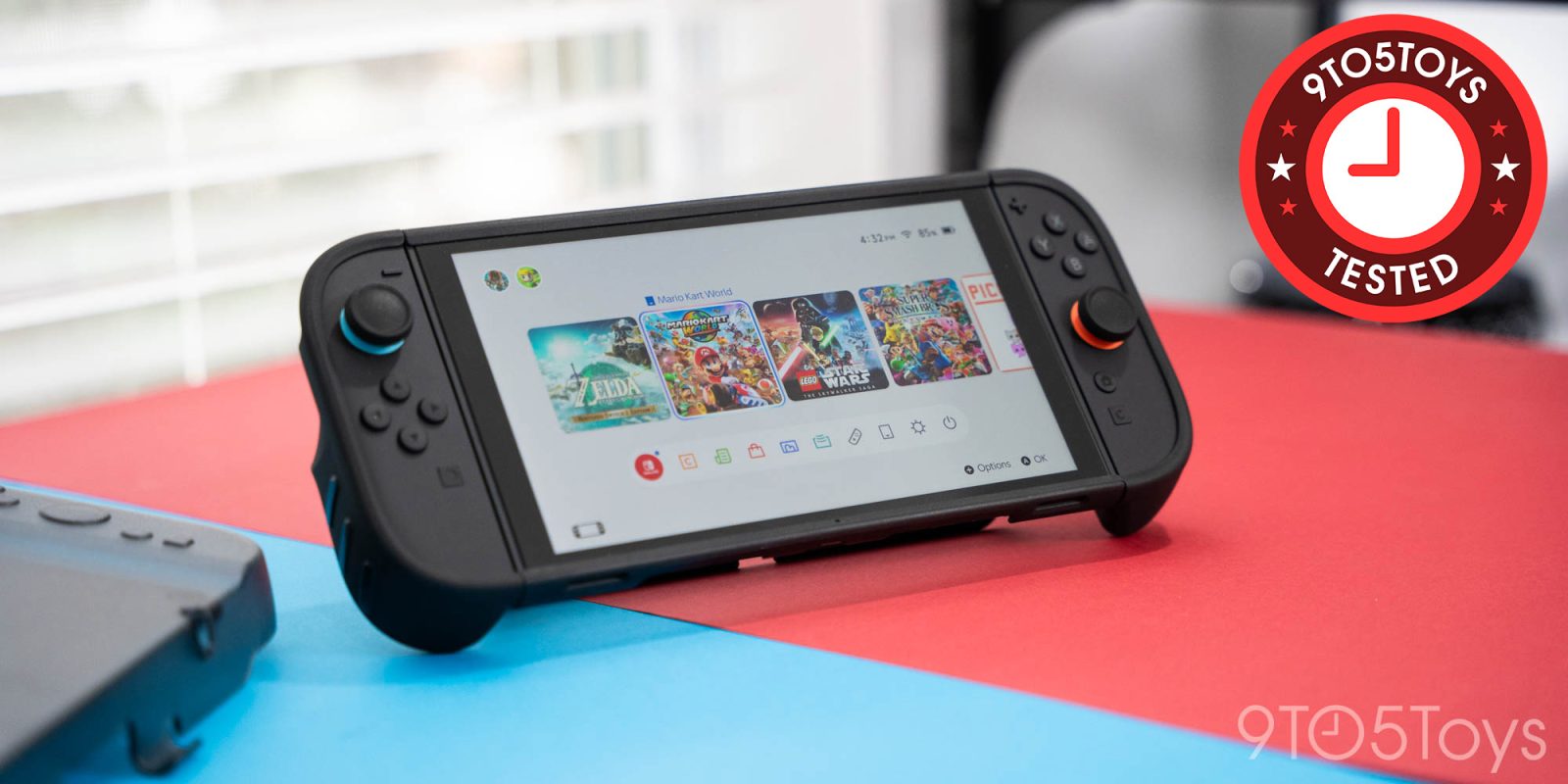
The case itself is broken up into four parts. There’s a backplate to protect the main console, individual Joy-Con covers, and a protective cover for the screen. This modular design means that you’re never restricted by the case. Unlike other cases that prevent the Joy-Cons from being detached, or the kickstand from working, Killswitch just lets those work as usual.
And in the hand, it feels wonderful.
The Joy-Con covers make the whole package feel way more ergonomic. Playing Mario Kart World for just a few minutes is uncomfortable, until I add the Killswitch covers, at which point it’s much more ergonomic and I can play for a while without any issue. There are also included grips for the joysticks, which do feel much better than the stock design. Getting the Joy-Con covers on isn’t the easiest thing in the world as the lip that holds the edges is a very tight fit, but it doesn’t easily come off once it’s on. More on those covers in a bit.


The backplate, as mentioned, still supports the kickstand. This is the only place you’ll need adhesive. The kickstand cover is totally optional (I ended up skipping it), but just completes covering the gap left in the normal backplate.


Then, there’s “lid.” The front portion of the Killswitch case for Nintendo Switch 2 covers the display. It’s not attached to the rest of the case in any way and simply slots in place when you want it. An elastic string (with a hefty metal piece) then holds it all in place. I love this system, though I could see it being a tad annoying on, say, a flight due to the bulky cover needing to be put away. That’s certainly preferred to losing the ergonomics of the rest of the case, though.
In that top cover, you’ll have space for 10 Switch (or Switch 2) game cards. Nintendo basically made those worthless for new games, but this is still handy for legacy titles you may have collected on the first Switch.


And you can still use the dock
The dock for Nintendo Switch 2 is pretty tight, even compared to the first generation. This means that cases are not going to fit, but dbrand includes a solution. A dock accessory that puts the USB-C connection on the outside makes it possible to use Switch 2 on your TV without removing the case.
It’s not the most elegant solution, but it gets the job done. I’ve had no issues with 4K HDR with Killswitch while playing Switch 2 on my TV, and I don’t forsee that changing. dbrand says that it “maintains the full functionality and cooling of your OEM dock.” I do wish you could more easily remove the Switch 2 from the dock, as it currently takes two hands and some finagling, but dbrand says they’re working on it.


But, sometimes, the Joy-Cons fall off
As many know by now, the big issue with the Killswitch for Nintendo Switch 2 is that, occasionally, the Joy-Cons can fall off. I’ve experienced this a couple of times since using the case, mainly while playing with the Switch 2 while laying down in bed. If you hold the Switch just in the wrong way, the magnetic connection of the Joy-Con can “fail” and leave the controller to easily fall off of the console.
As mentioned, it’s only happened a couple of times over a few weeks, and there didn’t seem to be any further impact on the magnetic connection.
Predictably, this became a whole thing online, triggering a lengthy response from dbrand.
In short, you’re sort of holding it wrong, but there is a real issue here. Some Killswitch units have a lip around the Joy-Con that’s a tiny bit thicker than others, making this issue a bit more pronounced.
dbrand explains:
So, what’s happening with the four Redditors who are experiencing more severe detachment issues? We believe it’s due to these Joy-Con Grips featuring an inner attachment lip that’s a hair thicker than desired. When we say “a hair,” we mean it quite literally here. The necessary increase to cause the difference between “mine isn’t detaching” and “wtf why is this detaching so easily” is about 0.12mm.
As of late June, dbrand says that its manufacturing tolerance has been tightened and that new units shouldn’t be affected by this problem. You might still find Joy-Cons can detach, but only in niche situations such as what’s demonstrated by dbrand in the clip below.
dbrand has since followed up on that initial response, apologizing for essentially blaming the customer’s choice of holding the console, and adding that anyone with a Killswitch for Nintendo Switch 2 that has Joy-Cons that fall off can get replacement grips in July at no charge. Those updated grips will be with the tighter manufacturing tolerance. The company says it is also going to attempt to revise the design to further eliminate the problem, but it’s possible that any changes may not be feasible in mass production. Everyone who purchases a Killswitch will be eligible for a free replacement if a better solution is found.
In my experience, this isn’t a huge problem. Other Switch 2 cases have much bigger inherent downsides than this, but I am glad to see dbrand stepping up to do right by its customers.
Is it worth it?
Killswitch isn’t cheap.
The core package (without the screen cover) is $60, but you do get a skin included with that. The $80 package includes the screen cover and stick grips, and the $100 “Ultra” package throws in two screen protectors as well. I’ve also had the chance to test out dbrand’s Prism screen protector on Switch 2, and it’s excellent as well with a truly idiot-proof installation tool.
None of that is cheap, but I do think it’s worthwhile. The case is well made, and dbrand is clearly willing to put in the work to correct the few mistakes it does have.
You can order Killswitch for Nintendo Switch 2 now at dbrand’s website.


FTC: We use income earning auto affiliate links. More.




Comments